Creating an Employer of Record (EOR) Contract
Last updated: March 15, 2026
Creating an employee contract with Niural is a streamlined process that ensures compliance and ease.
From the Hire Tab, choose Employee
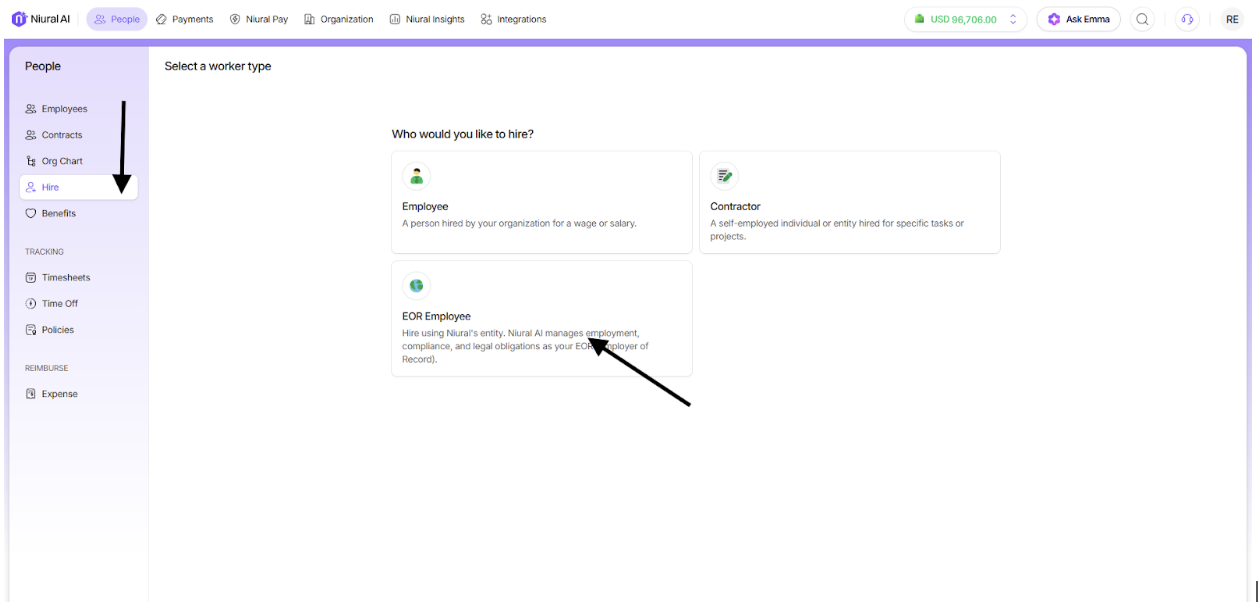
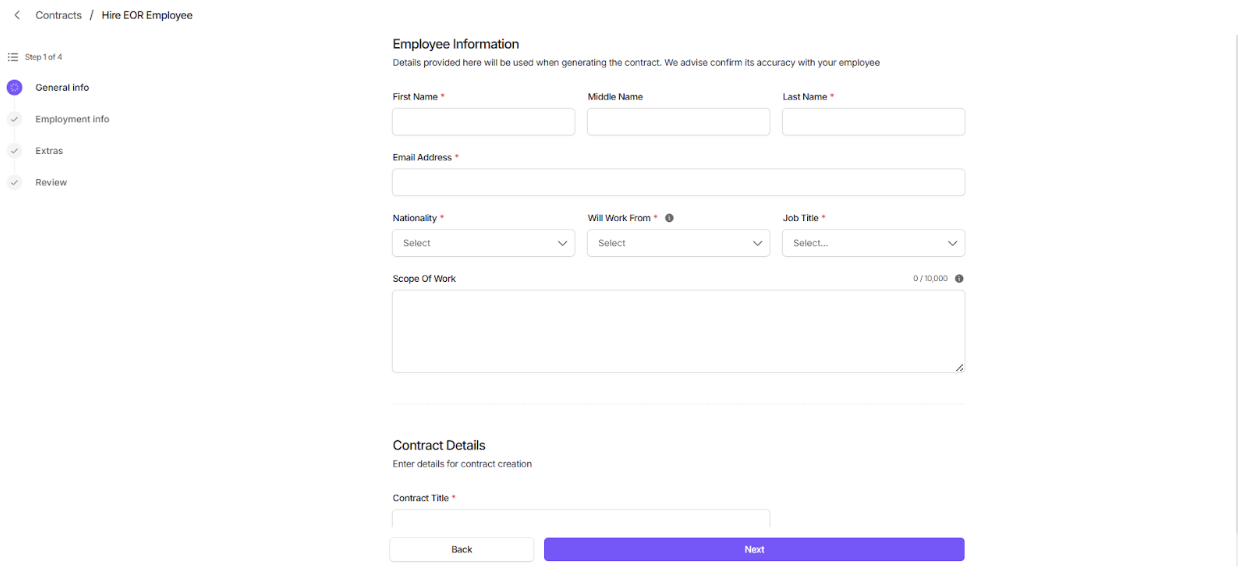
Select the country you want to hire in and fill out the required fields
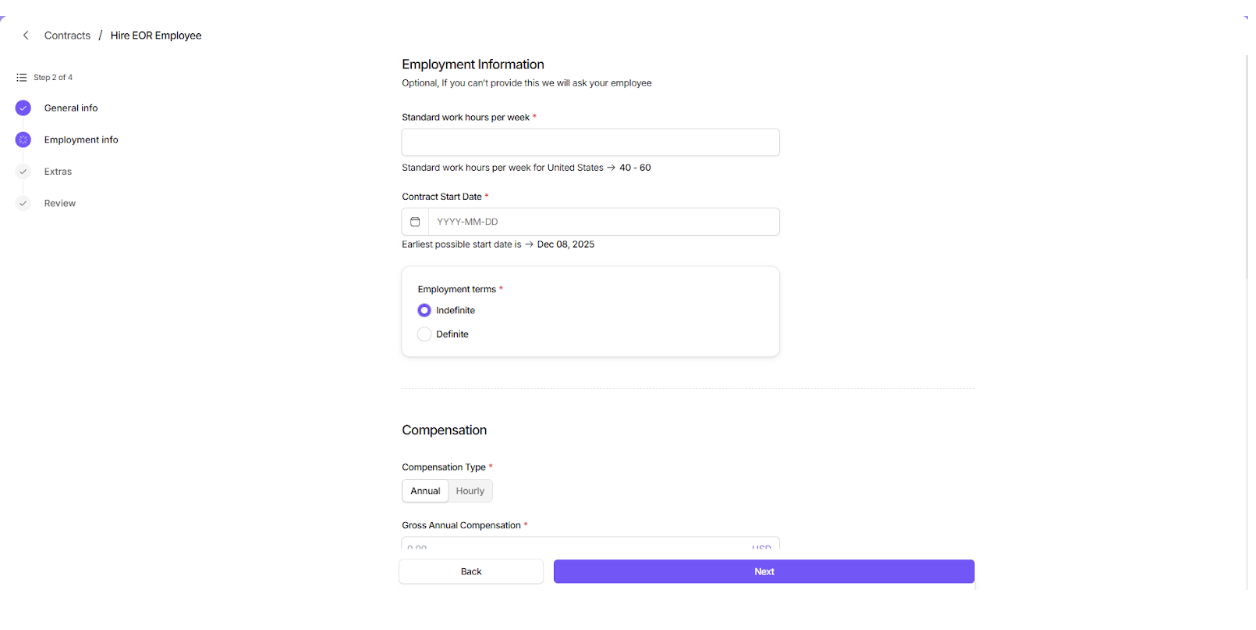
You will be required to provide information on the work hours, start date and whether the employment is definite or indefinite.
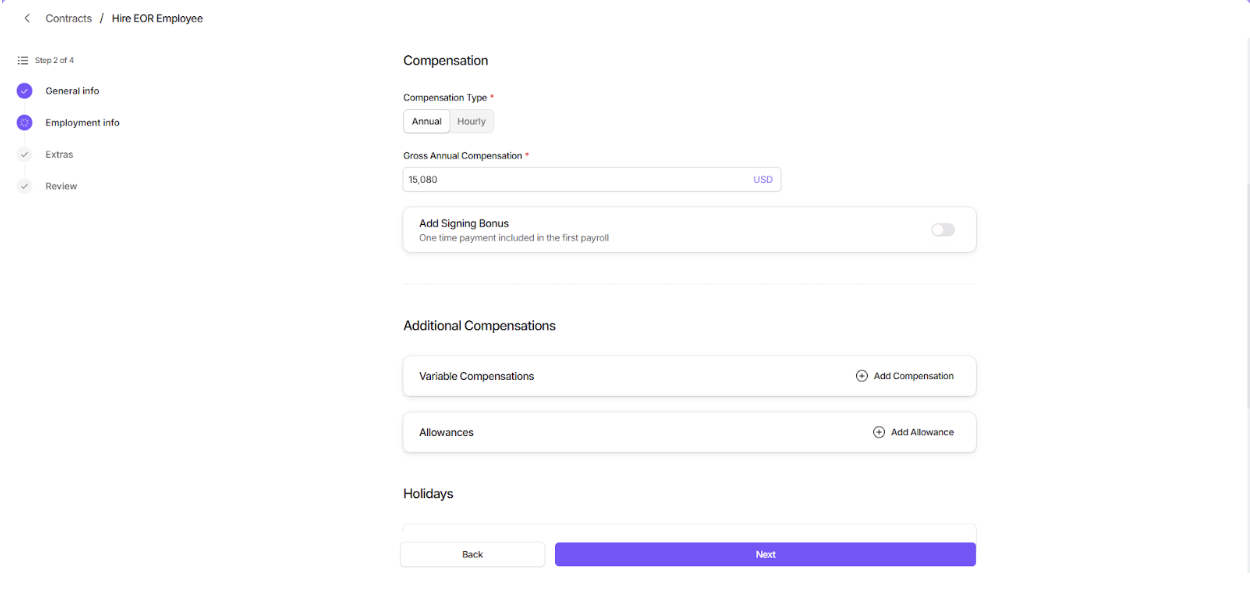
Set the compensation and Additional compensation details
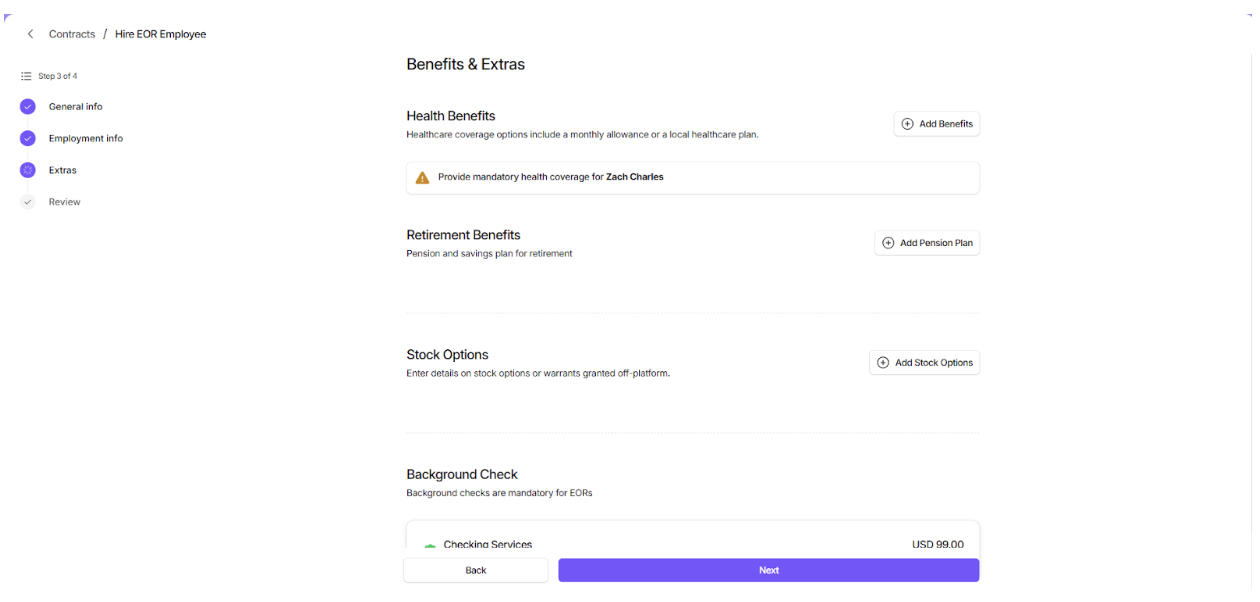
On the next page you will provide information on additional health benefits, stock options
You would then proceed to review and sign the Scope of work and upload additional documents(optional) and finalize the hiring.
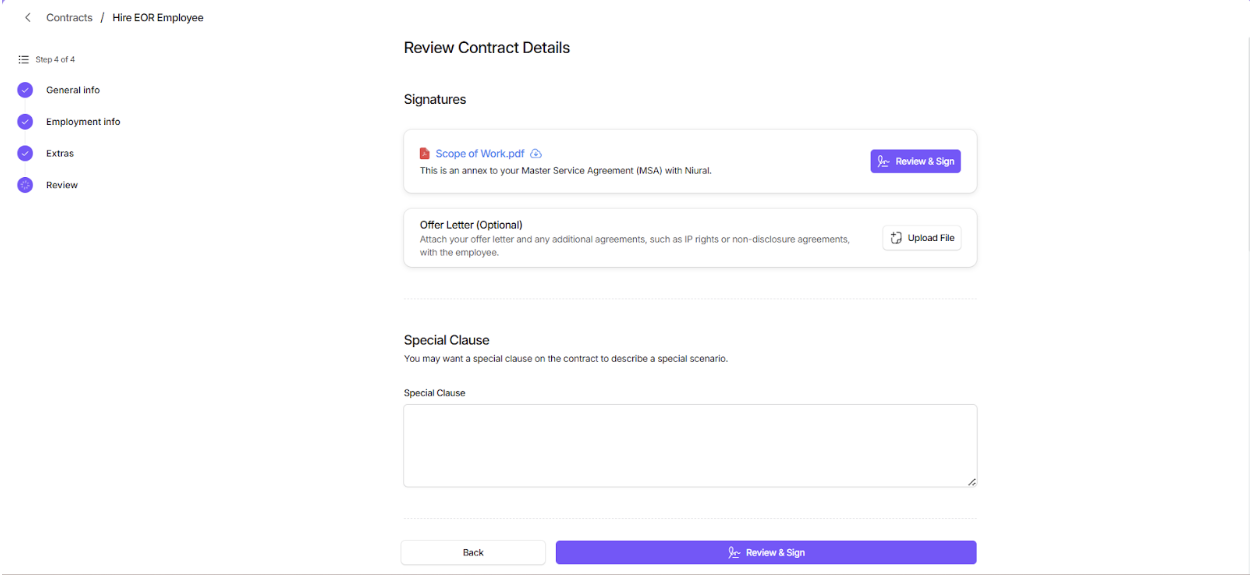
Once you sign the contract, you will be prompted to make a payment for the security deposit. Once the security deposit is received, our internal team will assess your proposed contract and employment terms for employee agreement and provide a response within a maximum of five business days.