How to submit Expenses as an Employee
Last updated: March 15, 2026
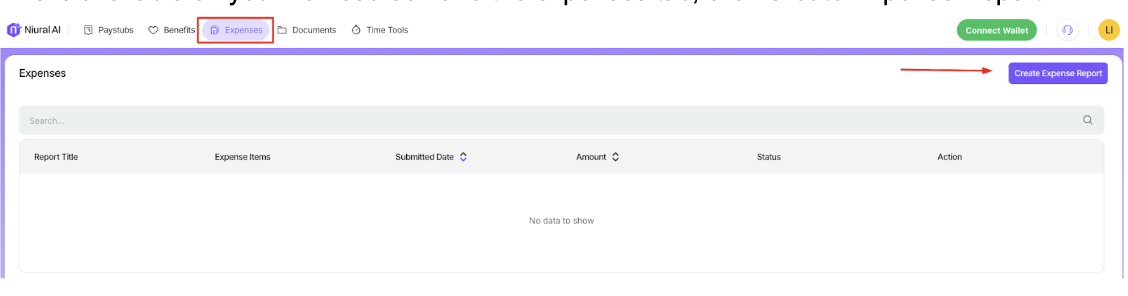
Go to the Expenses tab and choose "Create expense report".
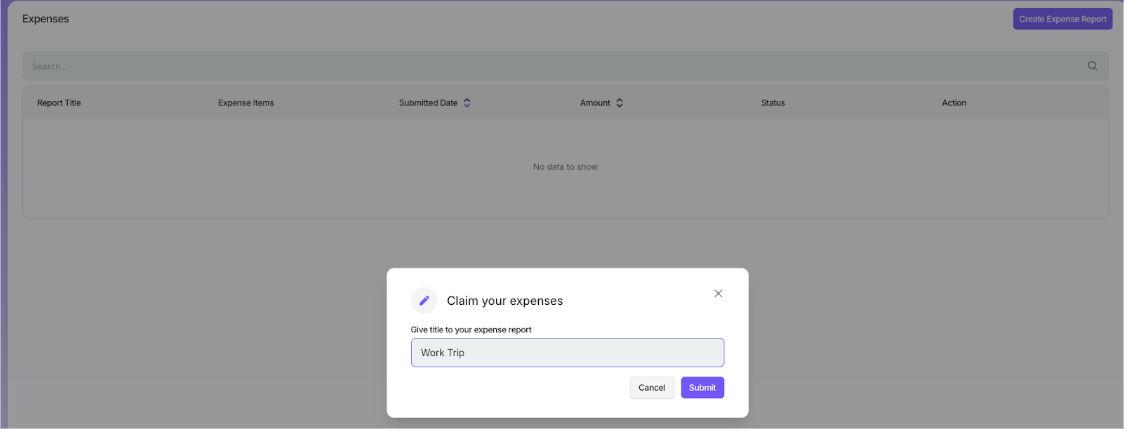
Give a Title to your expense report and start an expense log.
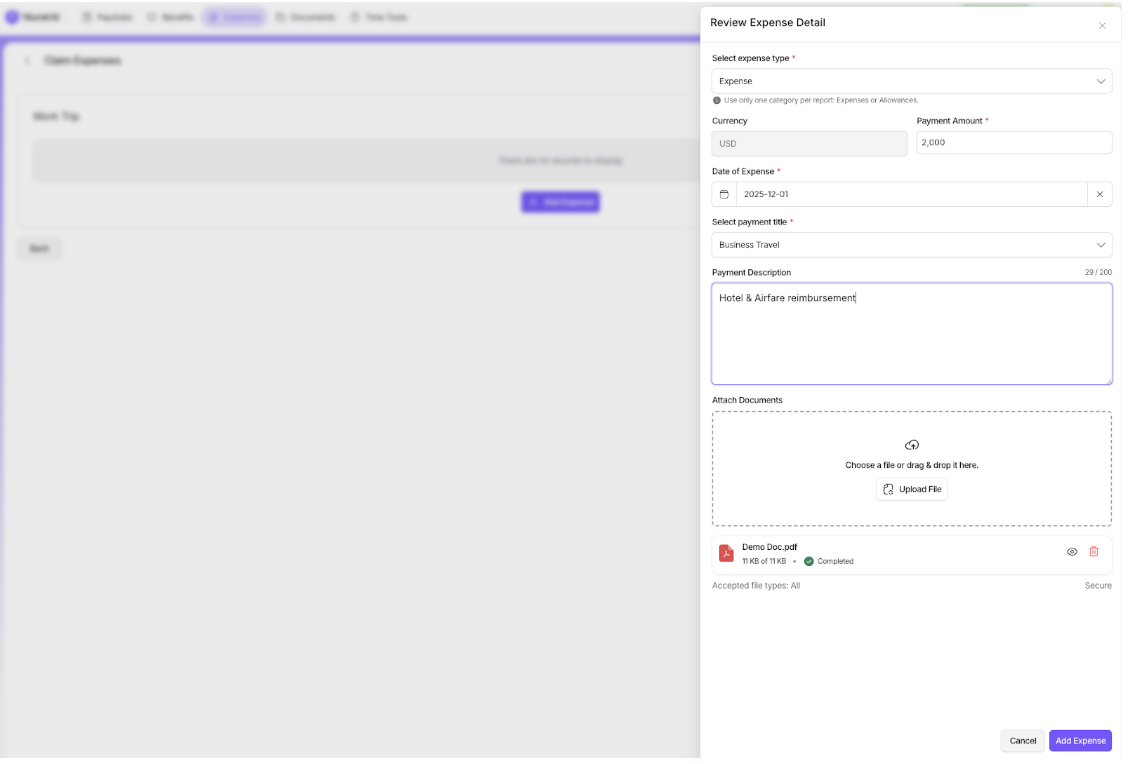
For each expense, enter the following details:
Expense type.
Payment amount and currency.
Date of the expense
Payment Title.
Description of the expense.
Attach the receipt/document for the related expense.
You can include multiple expenses in a single report for easier submission.
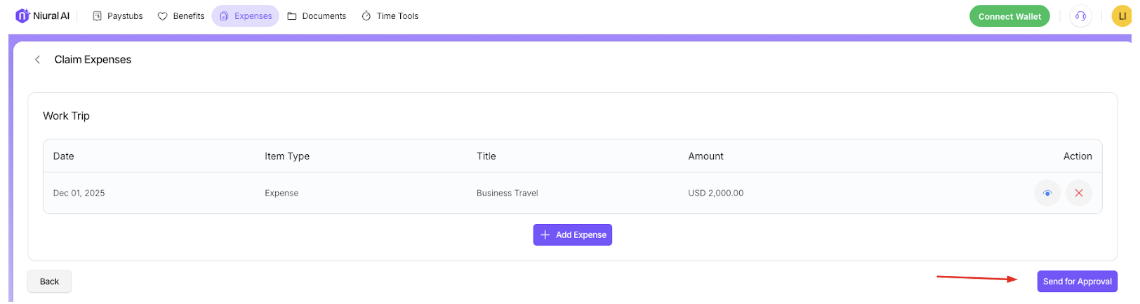
Once you've added all the expenses, click on "Send for Approval" to submit the report to your employer.
Once your employer approves the expense and makes a payment, it will be added to your upcoming payment.