How to Use Wire Transfers for Niural Payments
Last updated: April 17, 2026
Wire payments are used for faster settlement and in cases where ACH payment is not an option.
The bank details required to complete a wire transfer to Niural are provided within the transaction summary, along with a unique reference number to ensure accurate allocation of funds.
To make a payment via Wire Transfer follow the below steps:
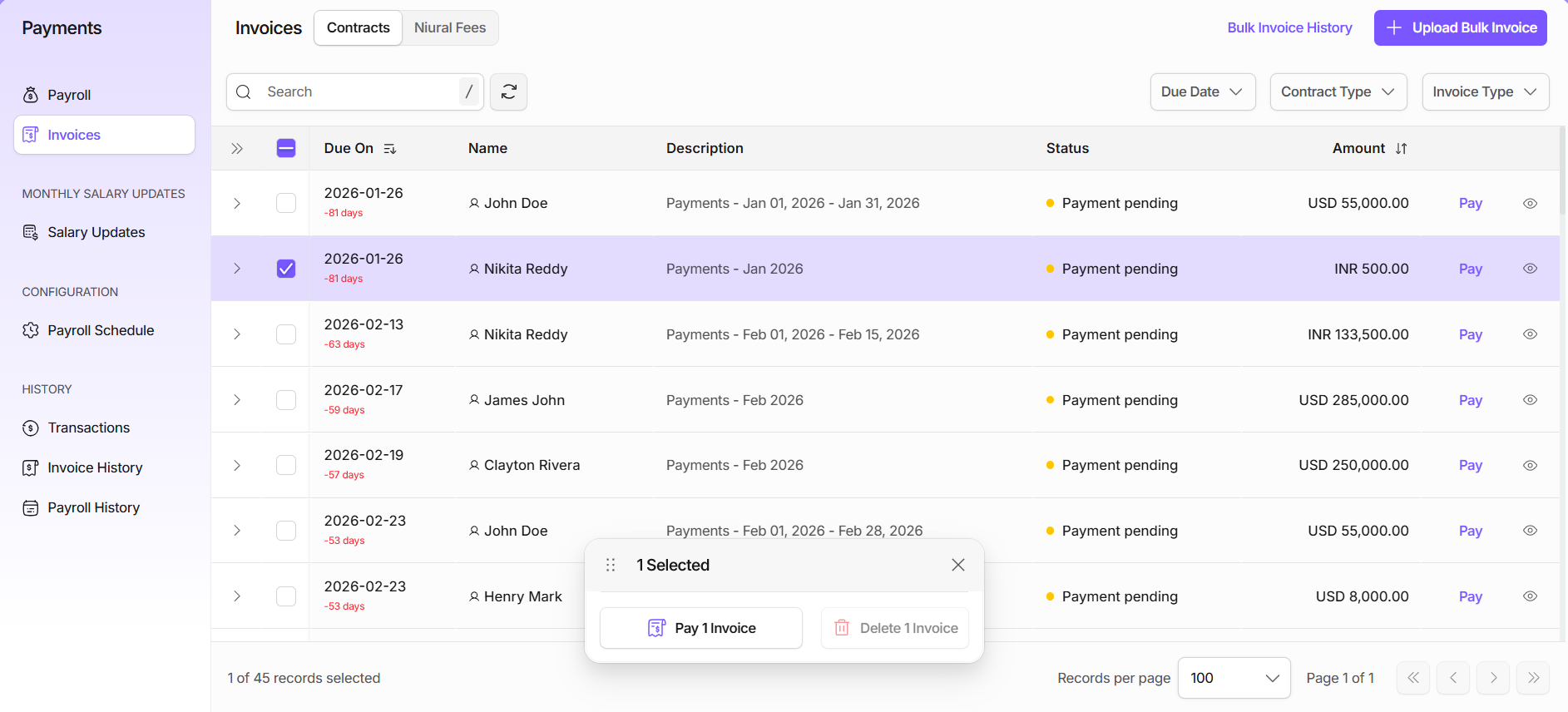
Step 1: Navigate to the Payments Tab on the platform
Step 2: Select the invoice by checking the box against it. If you choose to pay all the invoices, simply check the box at the top of the list
Step 3: Click on Pay Invoice and select the Wire Transfer option
Step 4: Confirm payment
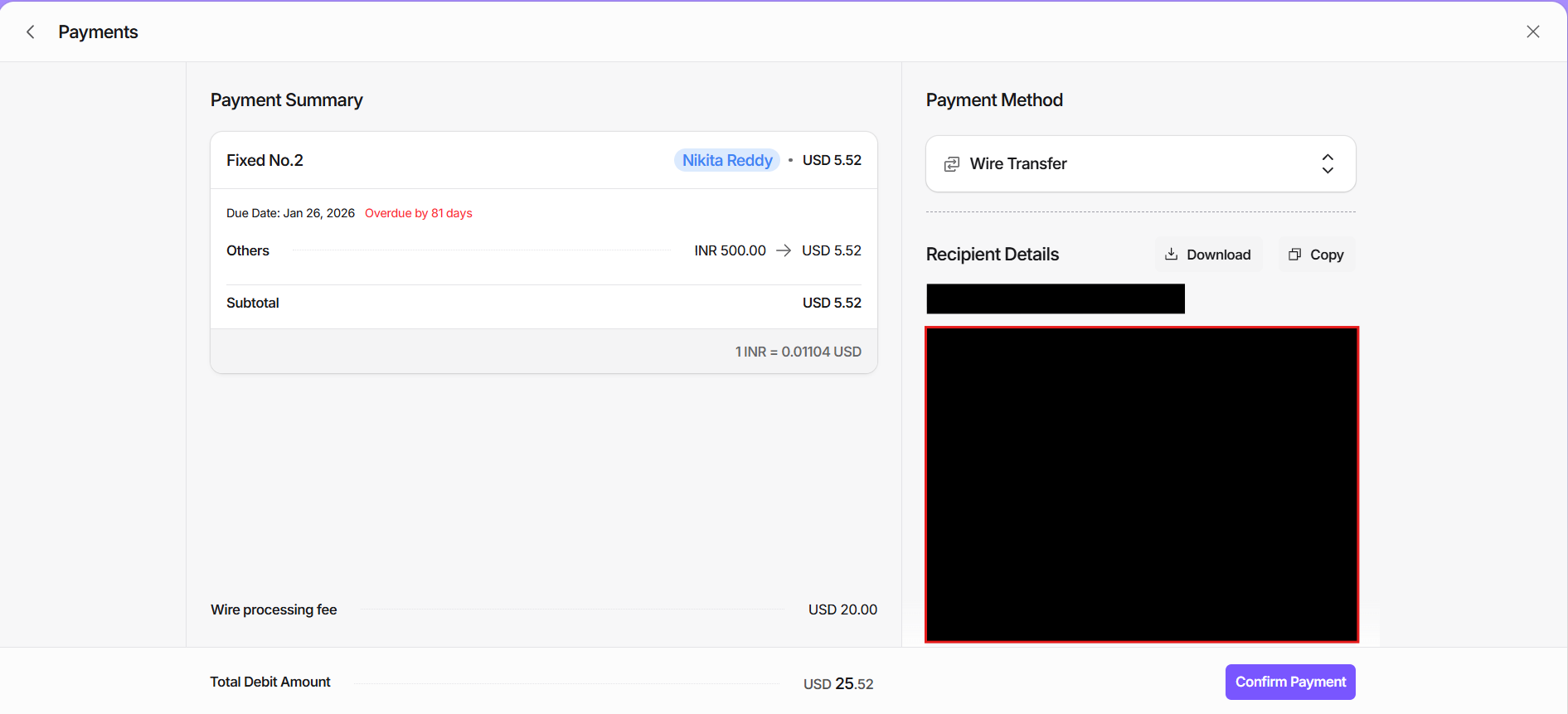
Important: Confirming the payment does not enable the money to be deducted. Wire transfers must be initiated manually through the employer’s bank.
Wire Transfer Fee
A $20 wire transfer fee per transaction applies.
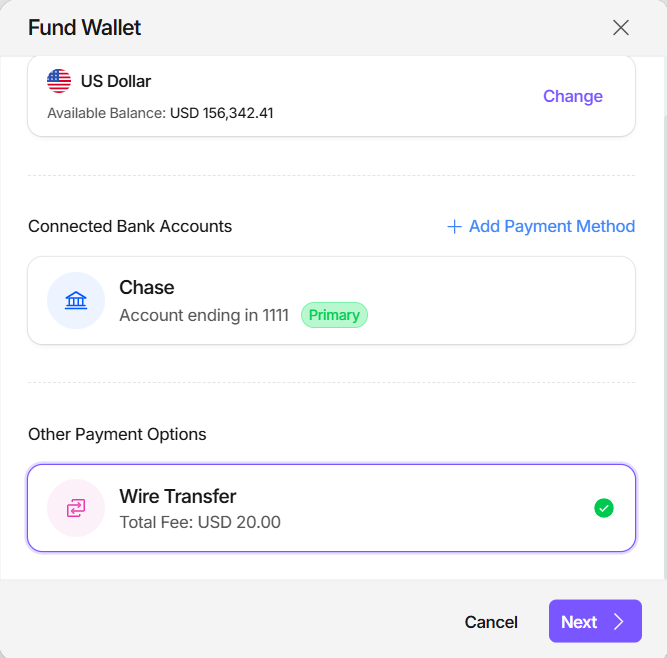
Niural Wallet Funding
Employers may also choose to fund their Niural Wallets via Wire Transfer. This approach can help minimise repeated wire fees and allows payments to be processed directly from the wallet, offering a more efficient, convenient, and faster payment experience.