Can I edit a contract once it is activated?
Last updated: March 15, 2026
To edit an active contract,
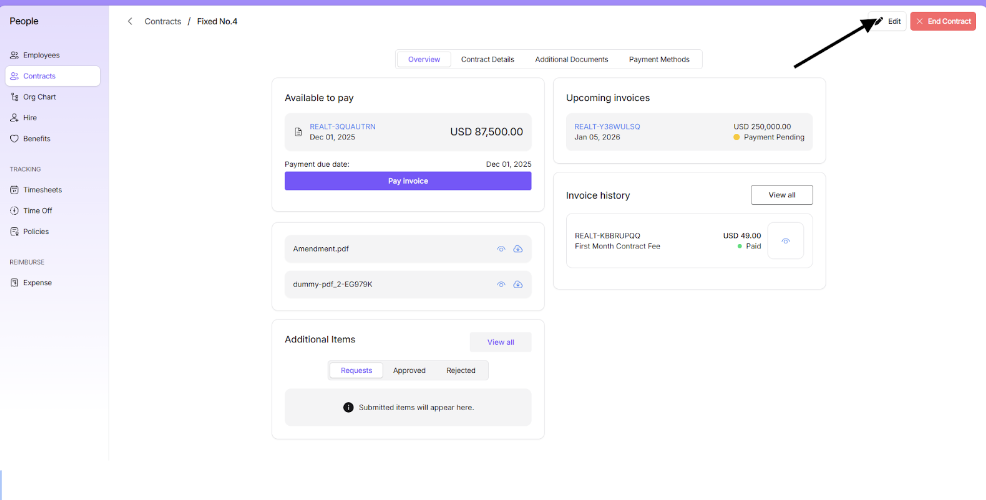
Click on the active contract you wish to edit.
On the Overview page, click "Edit contract."
For fixed contracts, you can modify:
Payment frequency
Currency of contract
Payment rate
Contract end date
(Note: Amendments apply after the current cycle ends).
Review your changes and click "Save Changes" to save them.