How do I verify my business account?
Last updated: March 15, 2026
You can locate the verification prompt on your homepage, or access it through the Verification tab under the Account menu.
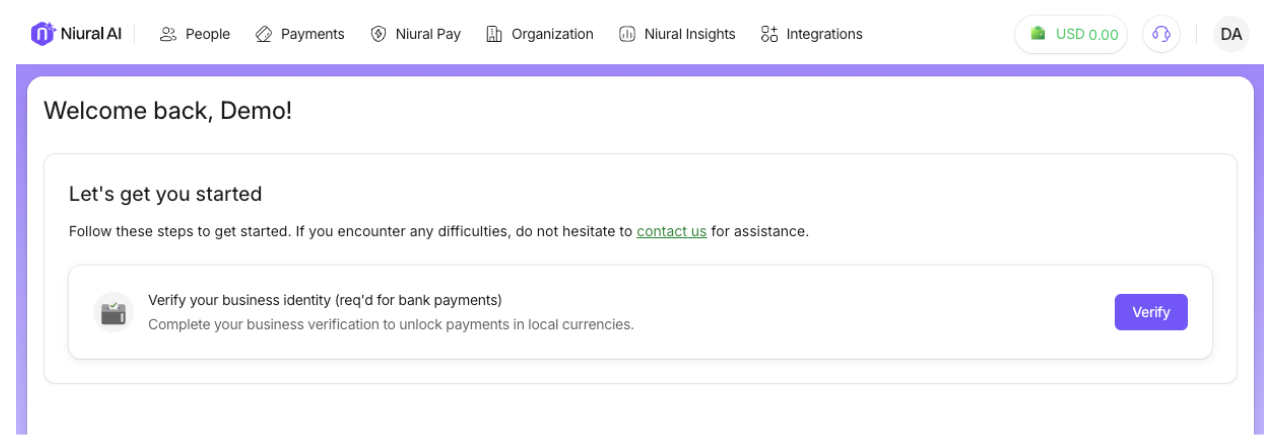
Business verification on Niural has 3 important sections:
1. Company Information
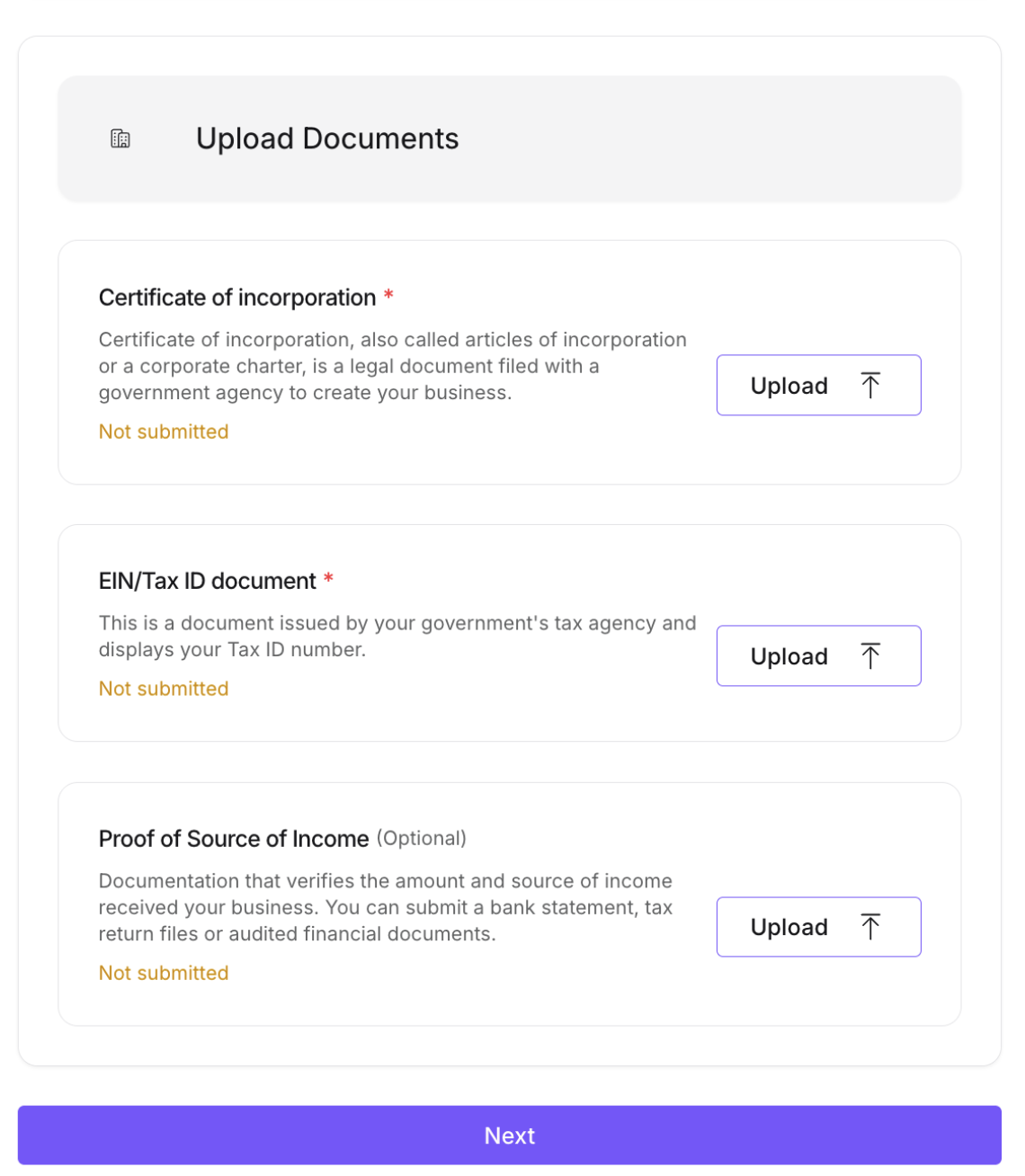
Upload the following documents to initiate company information verification.
EIN Document
EIN document, is a letter issued by the Internal Revenue Service (IRS) in the United States. This document contains a unique nine-digit number that is assigned to your business entity for tax purposes.
Certification of Incorporation
This is a license to form a corporation issued by the state government or, in some jurisdictions, by a non-governmental entity/corporation.
2. Personal Information
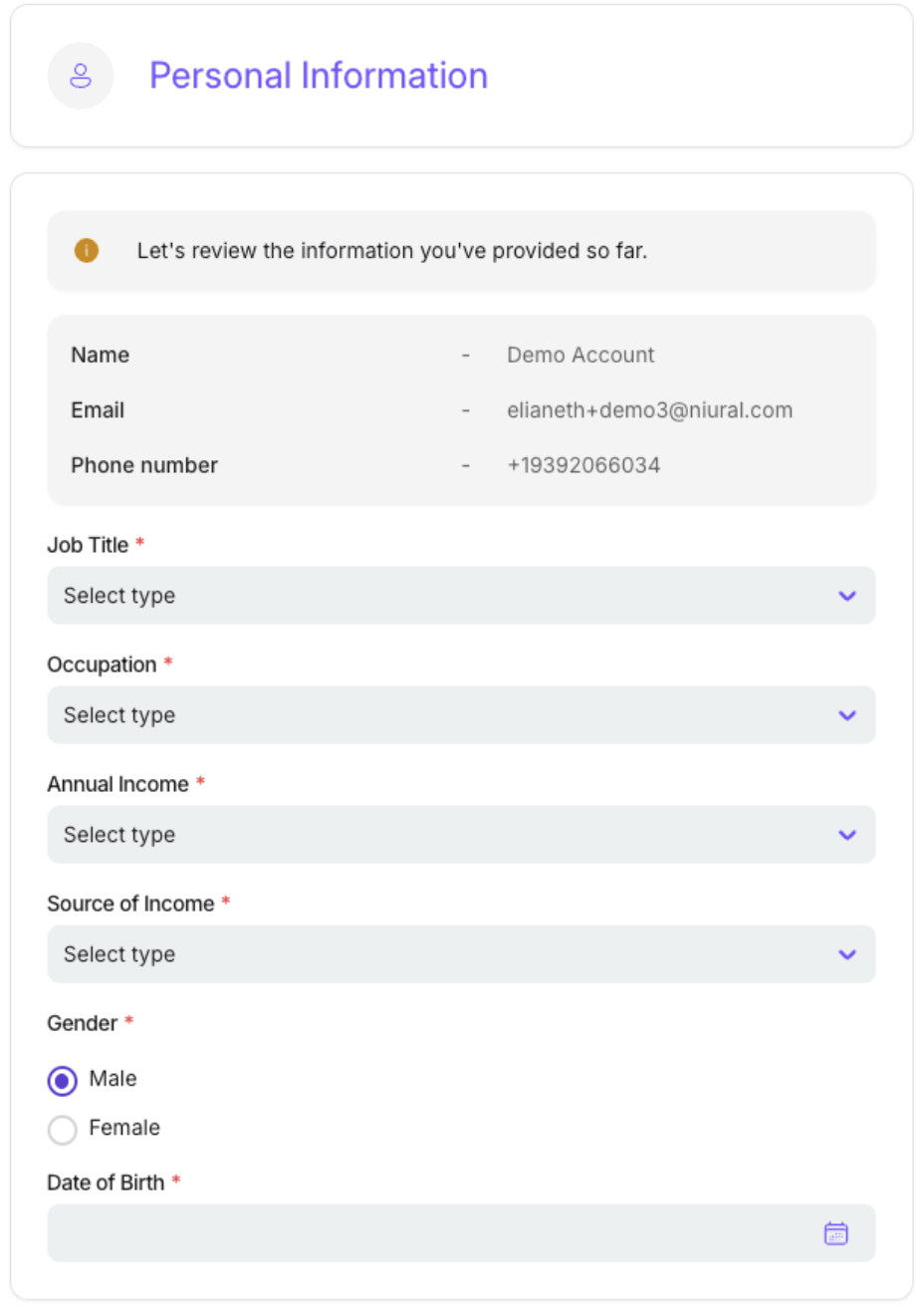
Enter your personal details
Job Title
Gender
Date of Birth
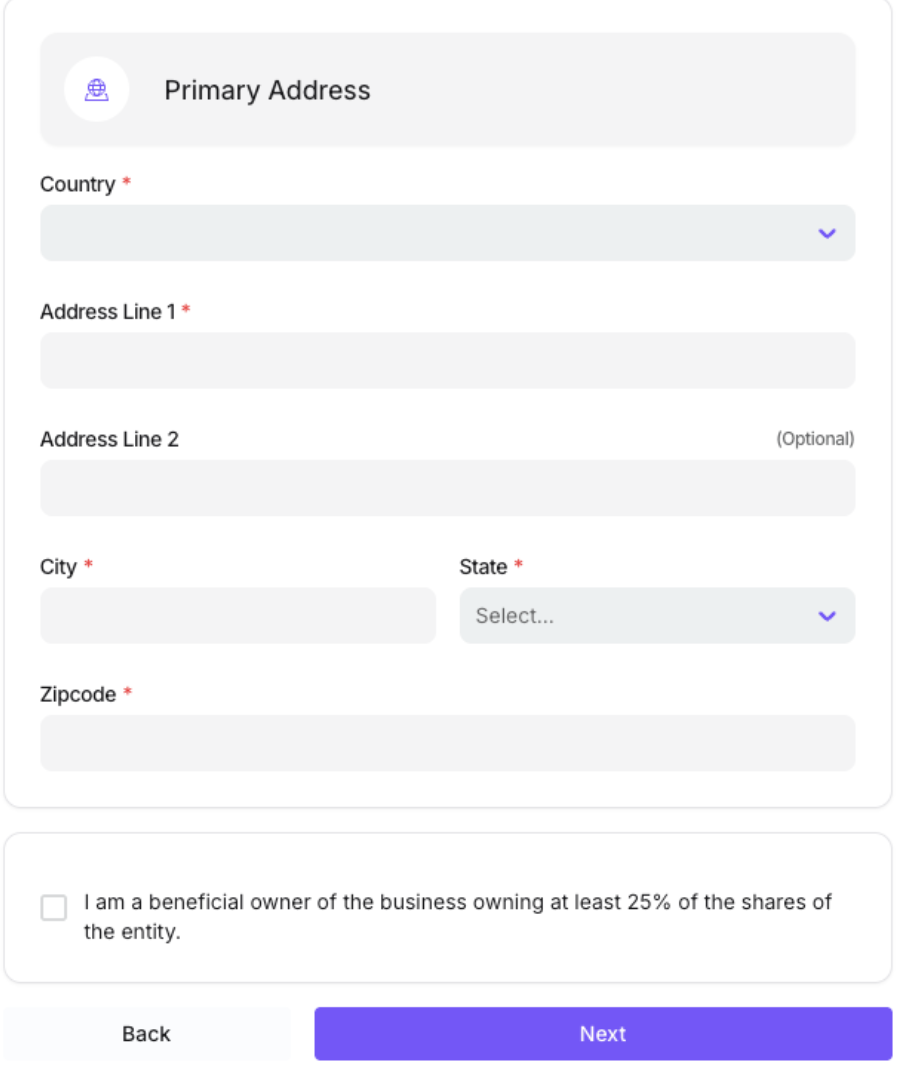
Primary Address
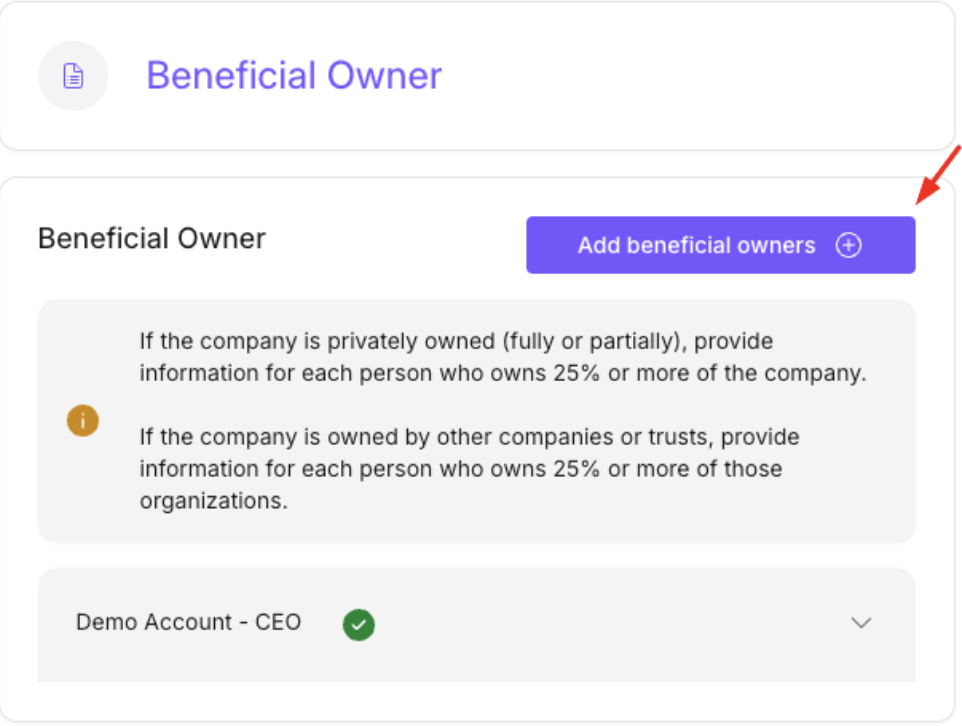
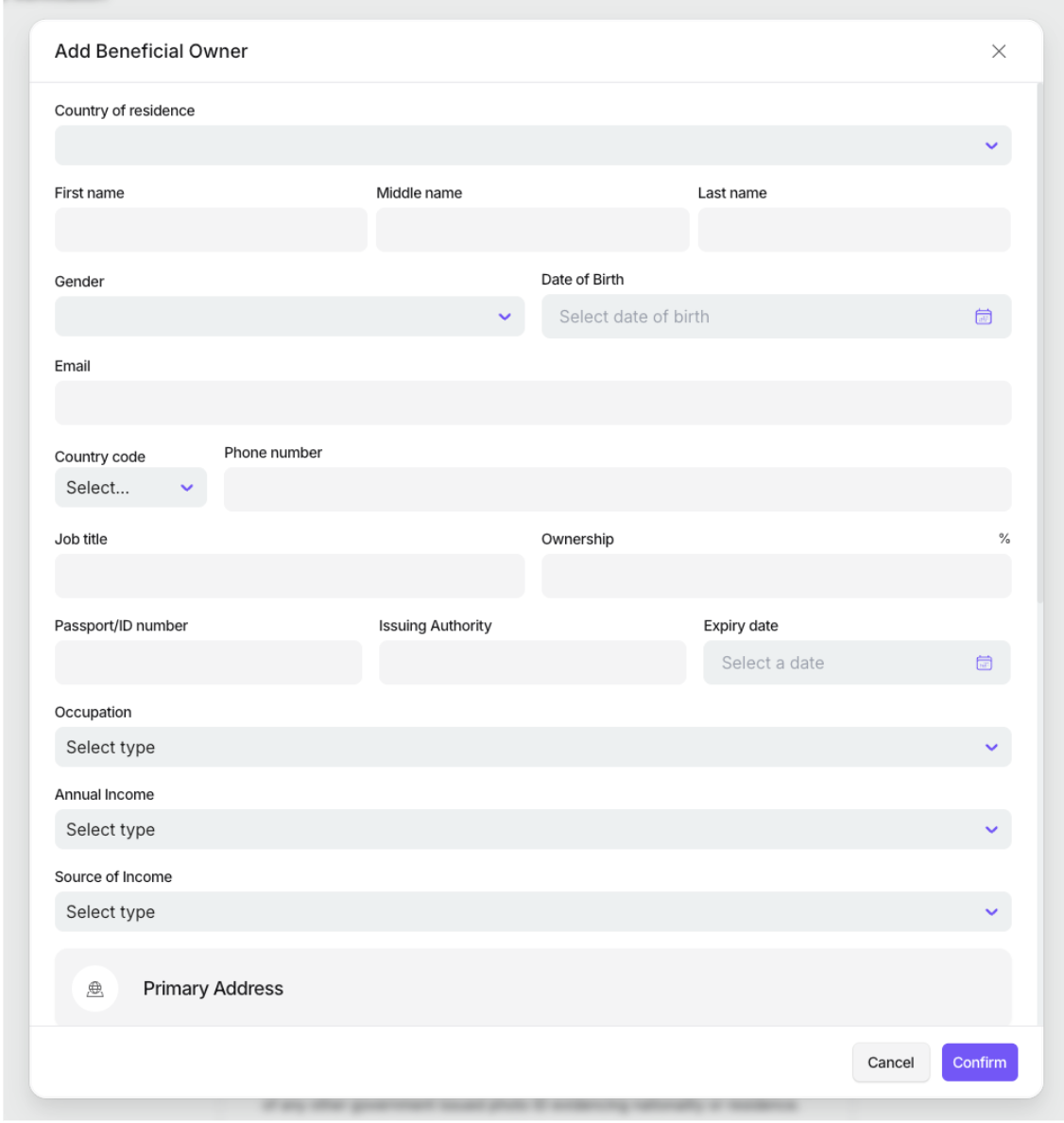
3. Beneficial owners
The next step in the verification process is to add details of all beneficial owners who have at least 25% ownership in the business.
4. Review
After providing your personal information, company details, and the details of beneficial owners associated with your business, you can review this information on the Review page.
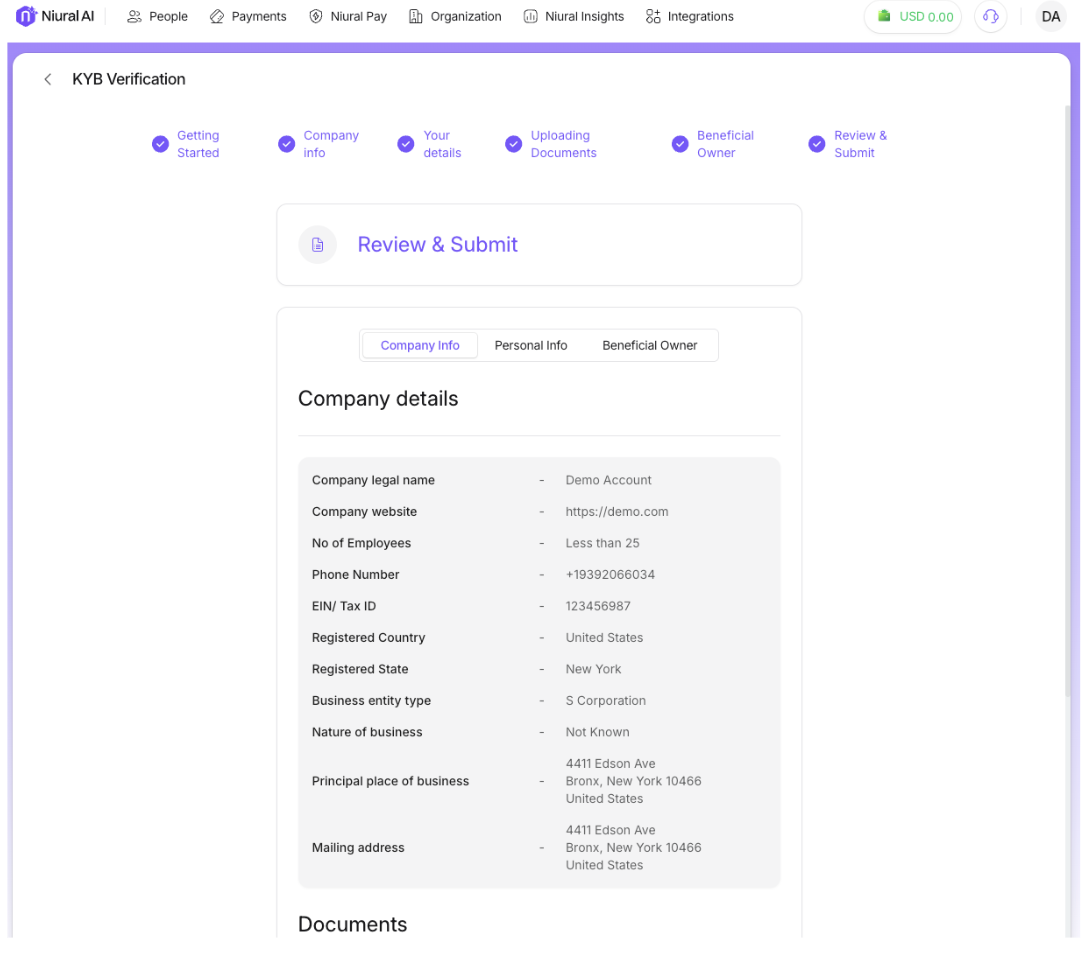
The KYB process takes 24-48 hours to complete and our team will send you a confirmation once this step is completed.