How to create a Fixed rate Contractor
Last updated: May 21, 2026
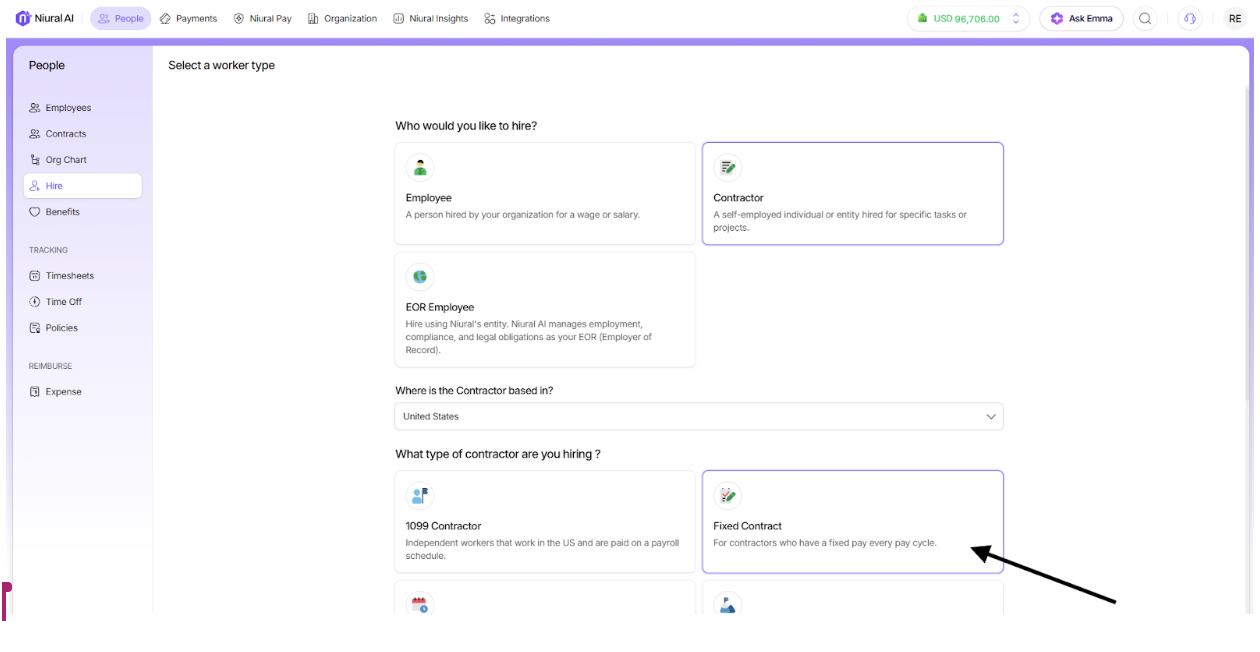
To hire a contractor on Niural, locate the "Hire" under "People" tab on the home page and choose “Fixed Contract”. You have a choice between selecting a Niural Armor contract or Generate Contract to use Niural’s generated contract.
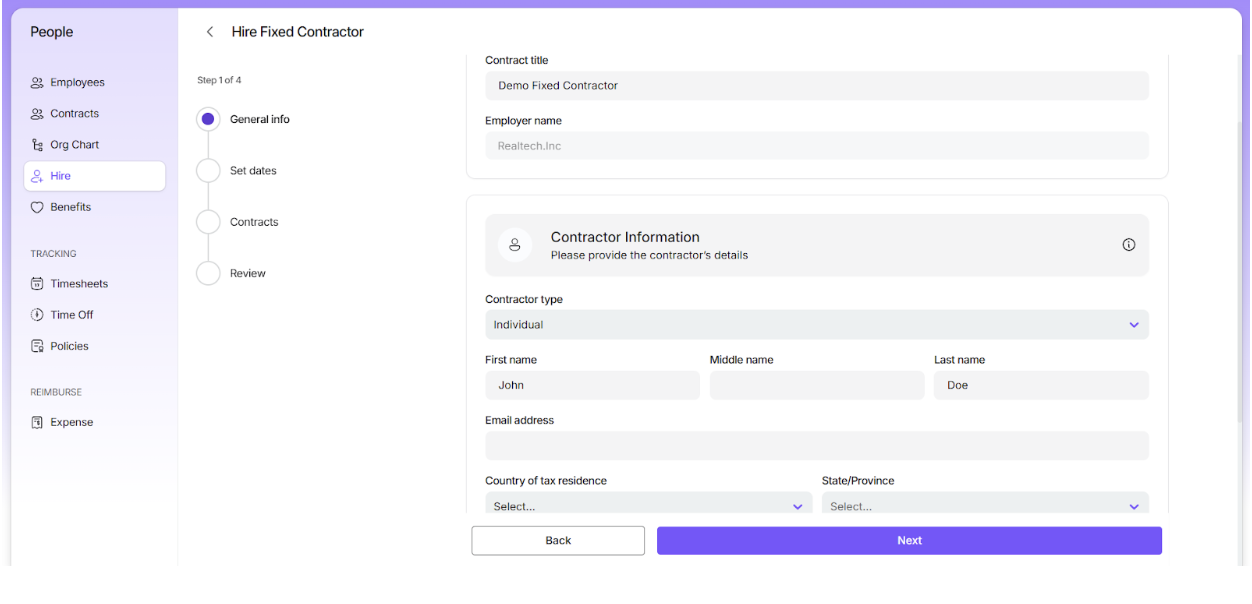
Fill in the contract details and contractor information as requested.
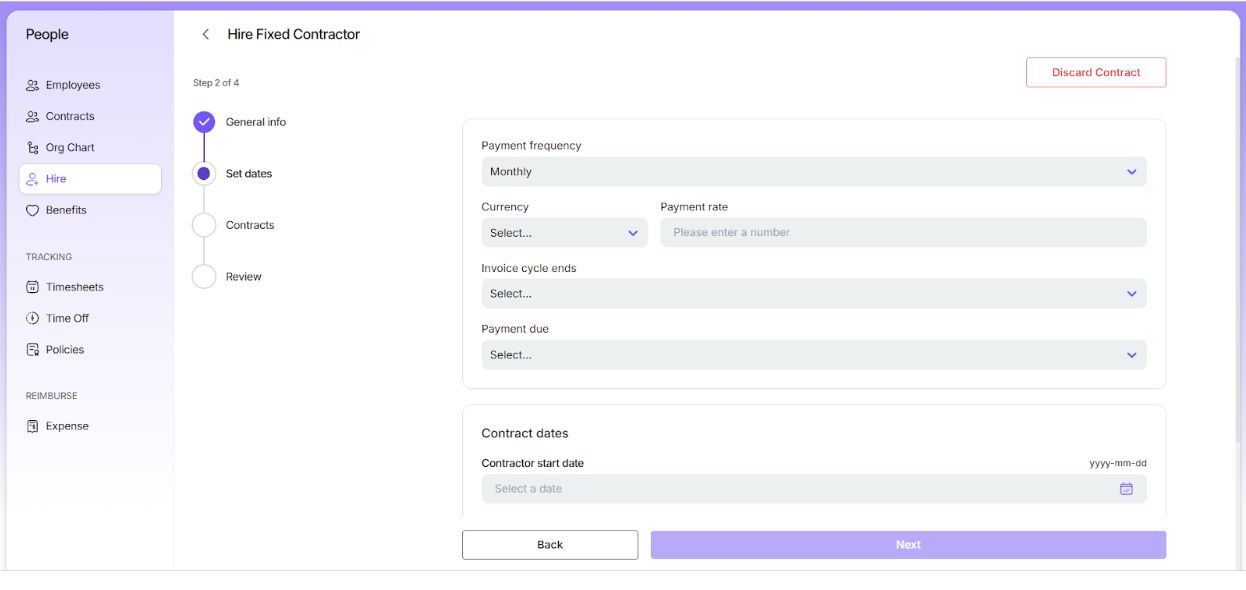
Next, select the payment currency and frequency: Semi-monthly, or Monthly.
Semi-monthly: For semi-monthly payments, select the 15th and the last day of the month or two specific dates as payment due dates.
Monthly: For monthly payments, choose either the last day of the month or any other specific date as the payment due date.
Enter the end date(if applicable) for the invoice cycle and the payment due date.
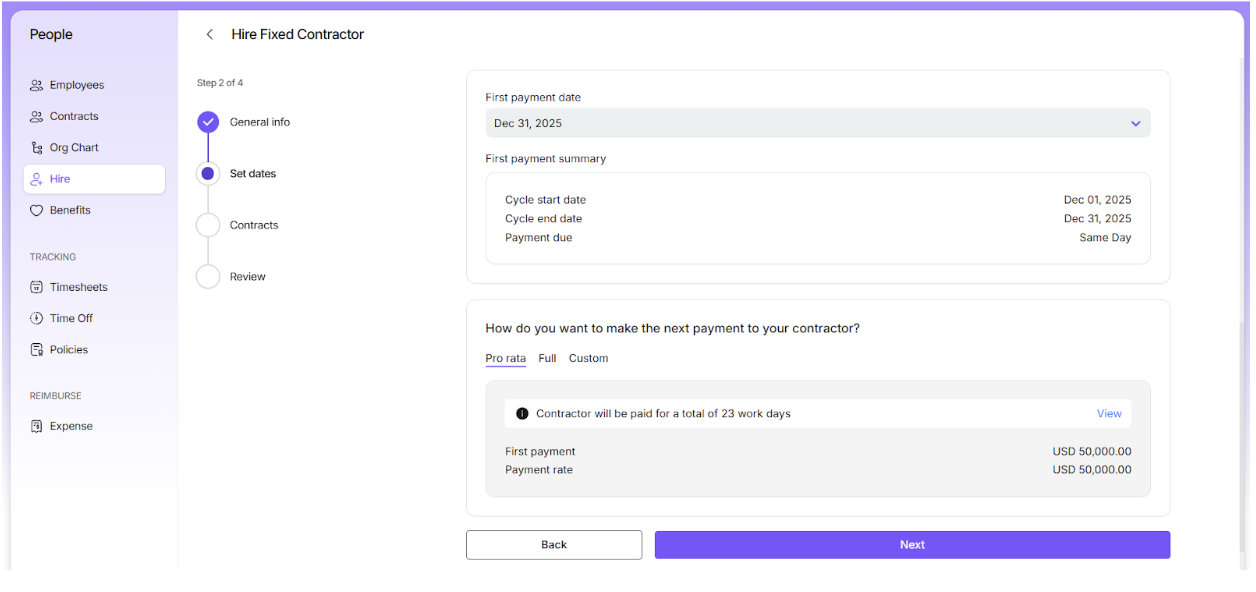
When configuring the first payment, you have the following payment options to choose from:
Full: The contractor will receive the full amount as the initial payment, irrespective of the start date.
Prorated: The first payment will be calculated based on the number of working days between the start date and the end of the payment cycle.
Custom: You can enter a specific amount for the first payment.
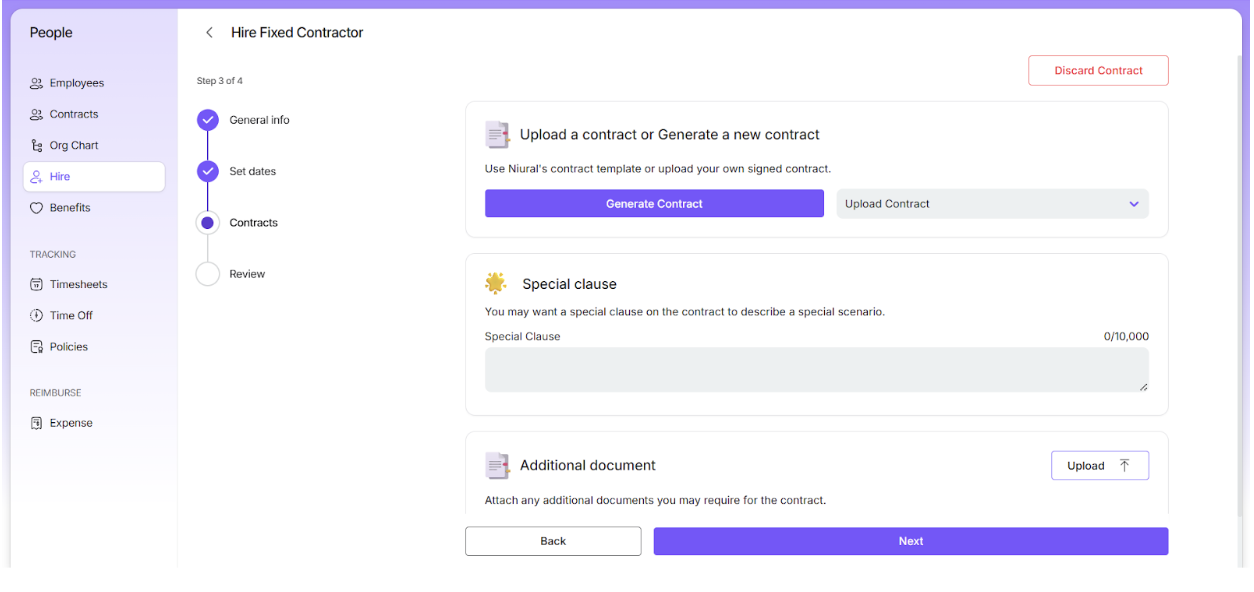
Upload or Generate Contractor Agreement
After setting your payment preferences, the next step is to handle the contractor agreement:
Upload an existing contract – If you already have a compliant contract, you can upload it here.
Generate a contract via Niural – Use our platform to create a fully compliant contract.
For Niural Armor, this is also where you can view the Master Services Agreement (MSA).
You can add special clauses or additional documents in this section as needed.
This ensures that all agreements are complete and compliant before the contractor starts.
Review and Confirm
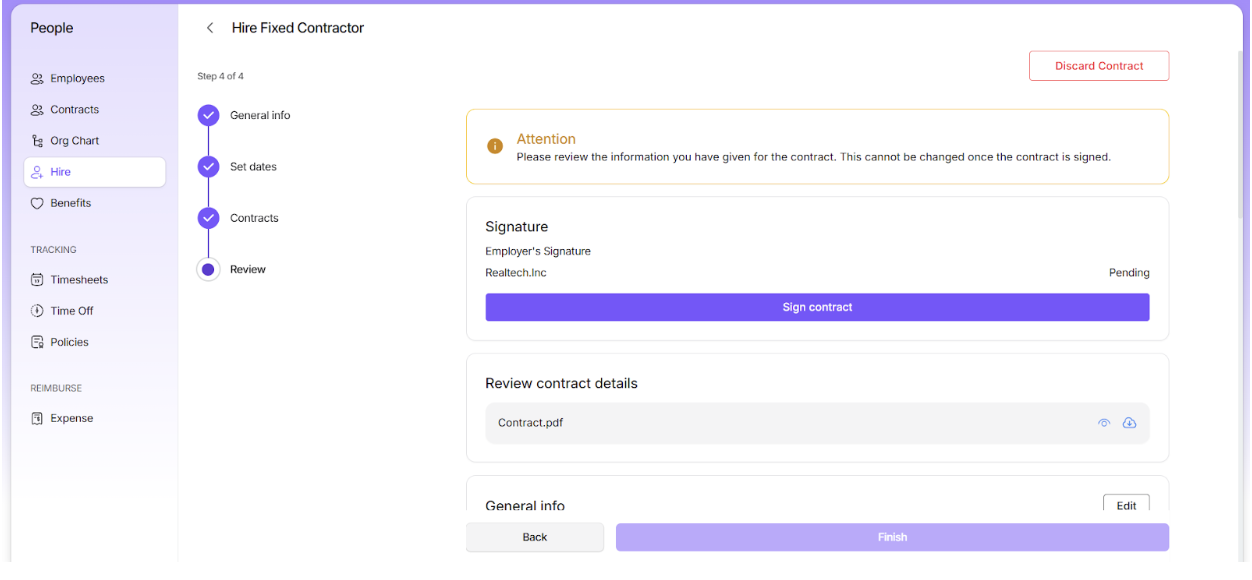
Next, you will be required to review all the details you have entered for the contract. Once you have ensured that all details of the contract are correct, sign the contract.
Send for Signature
Send the signed contract over to the contractor so that they can review and sign it.
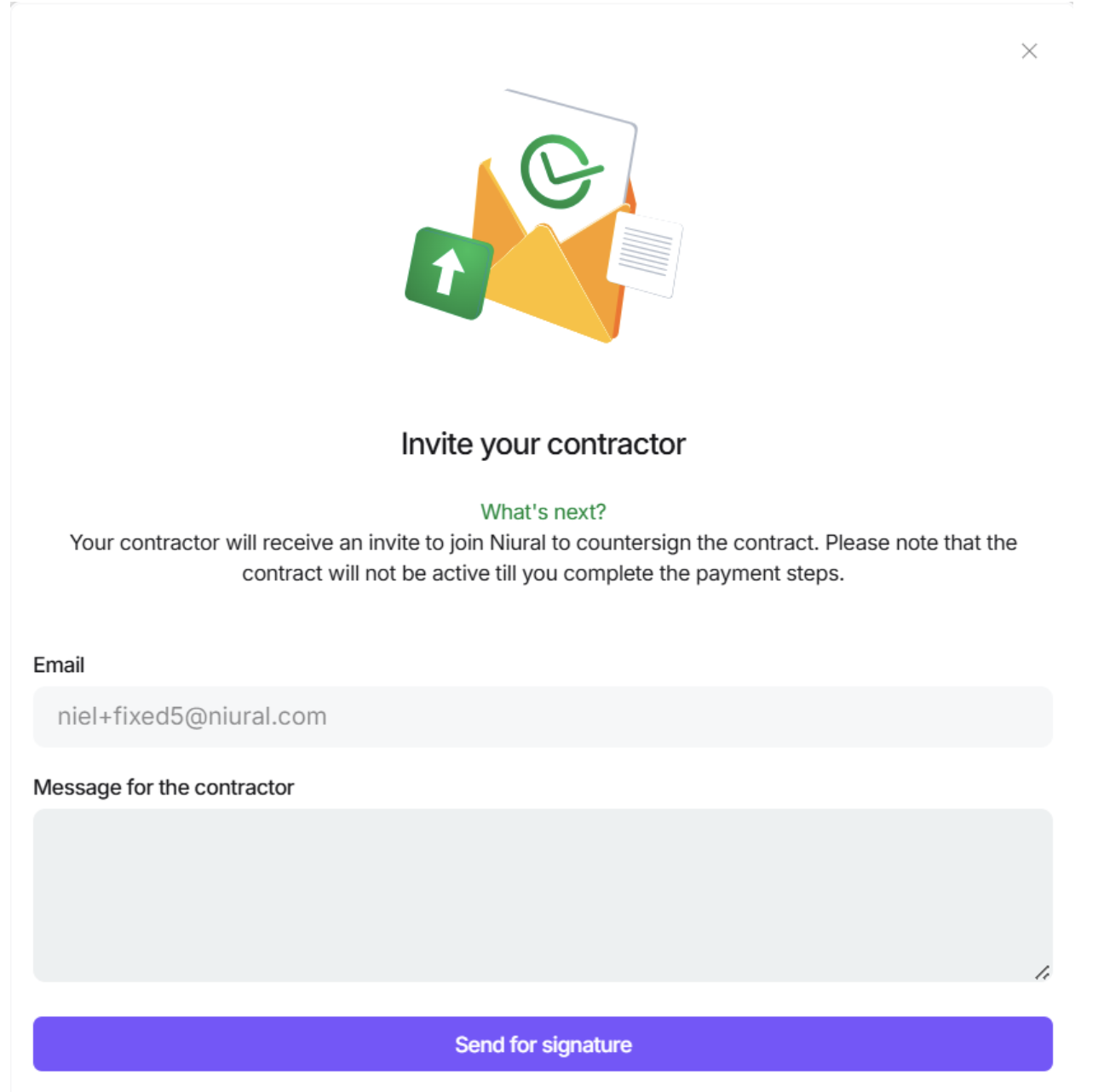
You will be notified once the contractor has signed the agreement.