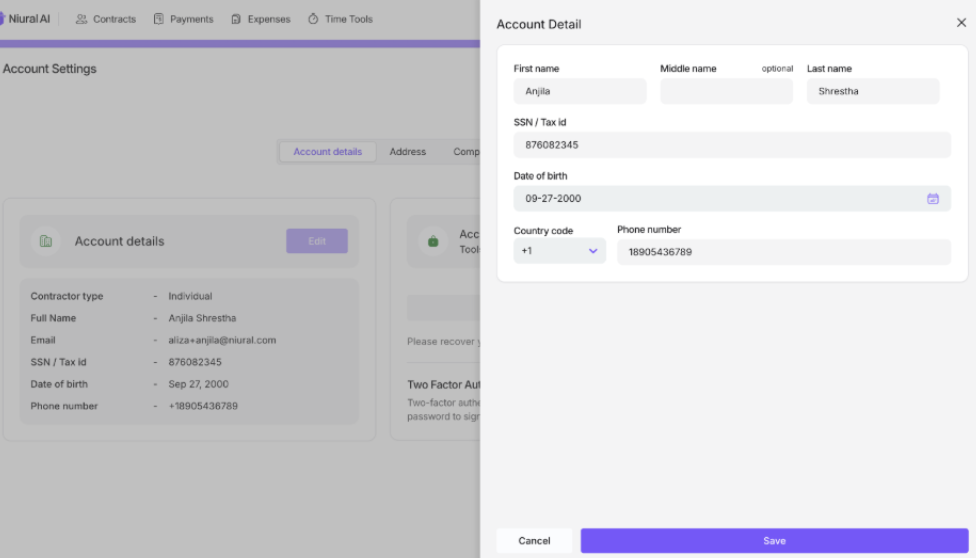
How to update your personal information
Last updated: January 2, 2026
Contractors can update their name or surname directly within the platform. This allows quick correction of personal details without needing support intervention.
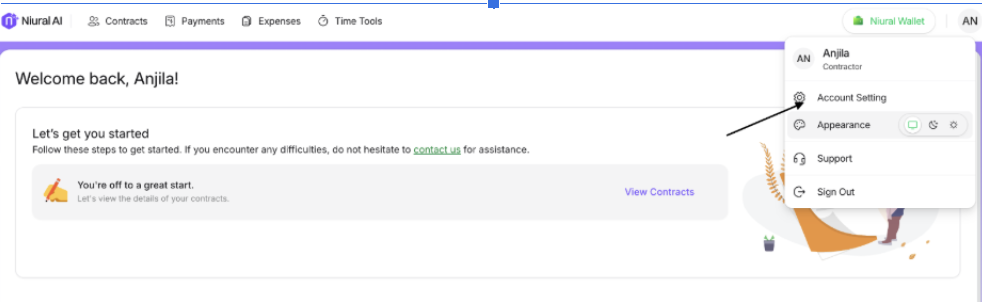
Step 1: Click on your account icon on the homepage.
Step: 2: Click on the account setting option.
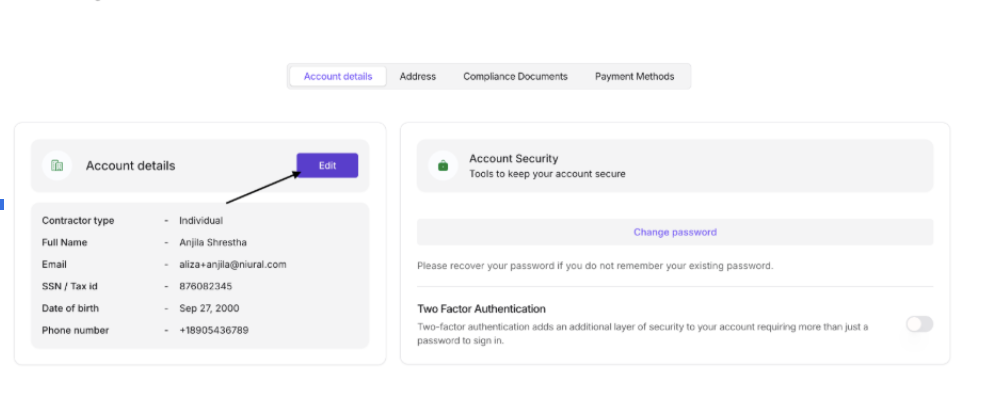
Step 3: Click on the edit section shown as below.
Step 4: Change the details accordingly and Save