Submitting your Hours (Timesheets) on Niural
Last updated: March 15, 2026
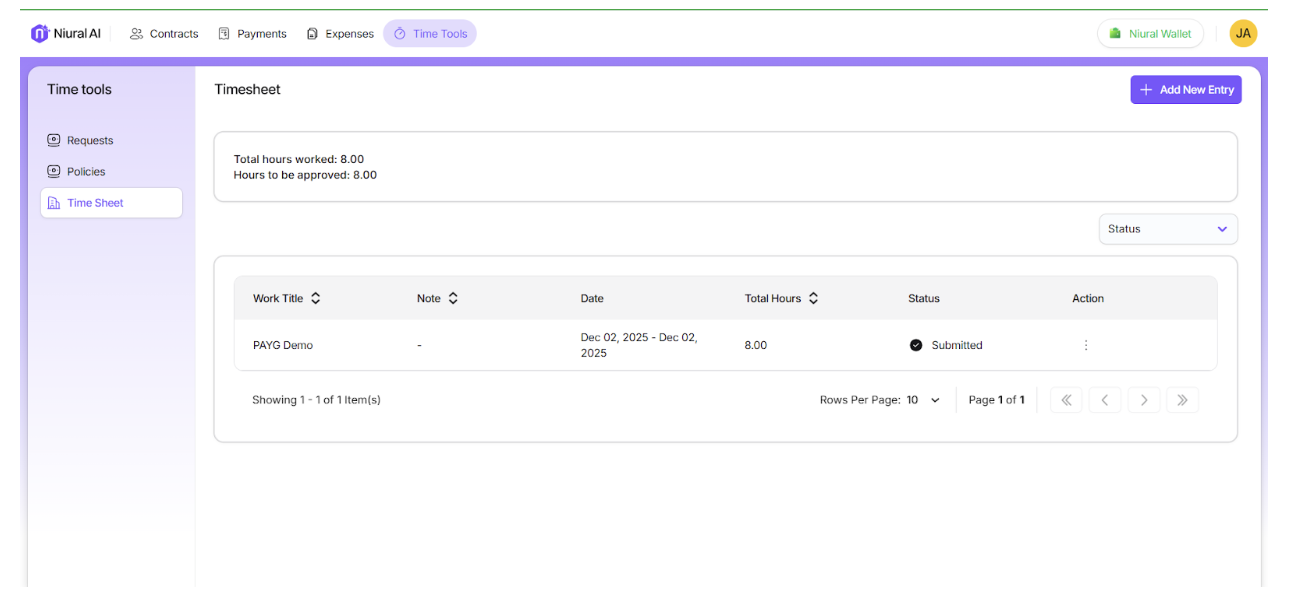
On the Niural homepage, click on Timesheets. Click on the +Add New Entry to update your hours.
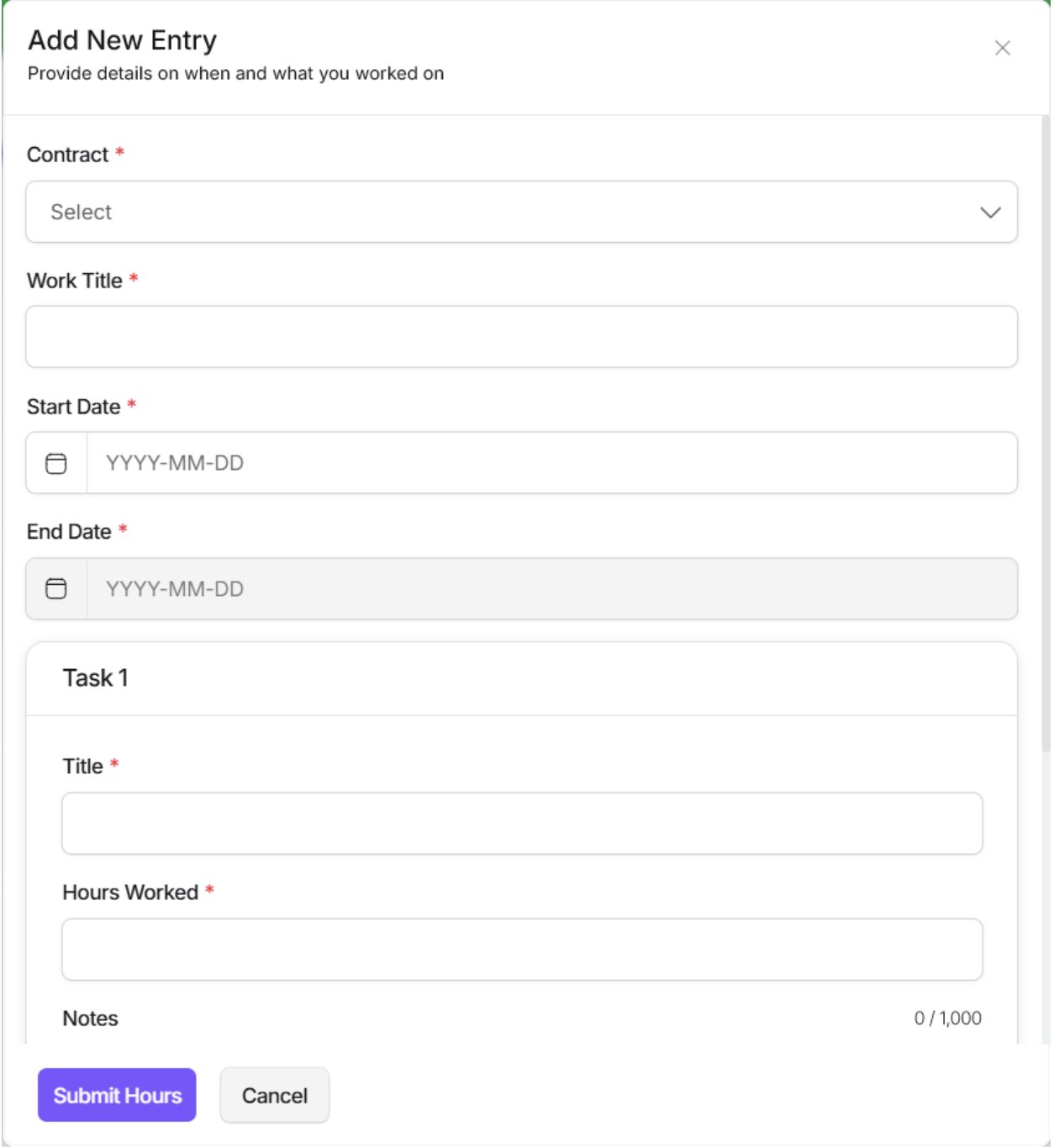
Add Entry Details:
Enter the hours worked, date, and a description. You can attach files and receipts, if needed.
Once you submit the hours, the employer will review the timesheets for your payment.