How to set up your Global Holiday Calendar on Niural
Last updated: March 15, 2026
Niural’s Global Holiday Calendar gives administrators the flexibility to create and manage public holiday schedules by country and apply them to specific employee segments. Whether you're organizing leave for teams in the U.S. or customizing calendars for globally distributed staff, the feature supports localized compliance and centralized oversight across your organization.
Creating a Holiday Policy
Follow the steps below to define and assign a holiday calendar.
Step 1: Start a New Holiday Policy
From the top navigation bar, select People
Click the Policies tab
Click the Manage Holidays button
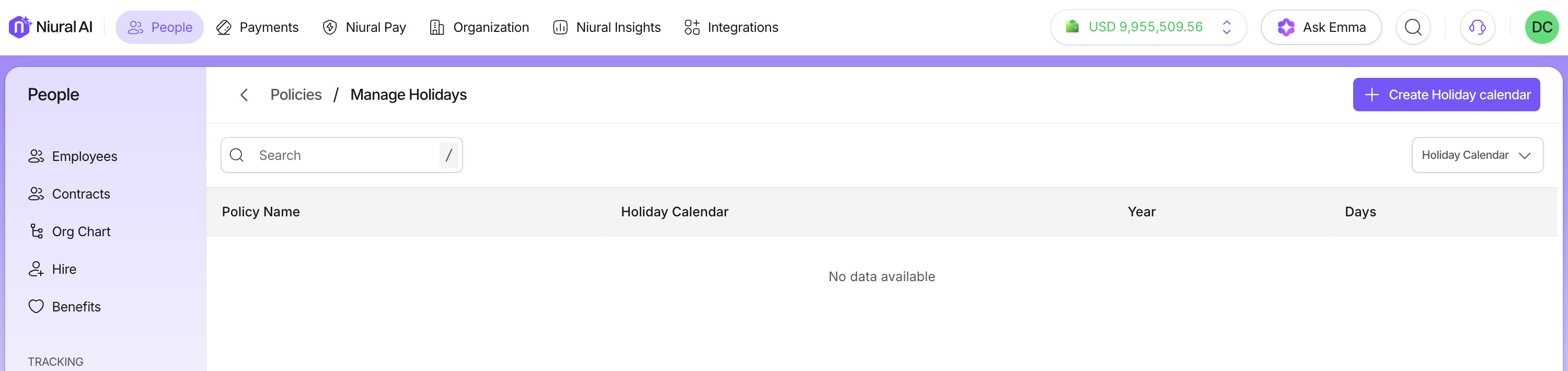
Step 2: Define the Holiday Policy
On the Policy Overview page, complete the following fields:
Policy Name: Enter a clear and descriptive name (e.g., Canada National Holidays)
Pick a country: Select the country you want this holiday calendar to apply to.
Policy Description: Optionally provide additional context to help employees understand the purpose of the policy
Step 3: Review and Edit Holidays
You will be presented with a list of holidays for the country you have selected. You can:
Review included dates
Deselect any holidays not applicable
Add custom holidays using the "Add Holiday" option
This allows for both standardized national observances and company-specific variations.
Adding Custom Holidays
Custom holidays are useful for:
Floating holidays
Regional observances
Internal company events (e.g., Foundation Day, Company Shutdowns)
To add a custom date:
Click Add Holiday
Enter the Holiday Title (e.g., Diwali or Floating Holiday)
Select the Date using the calendar picker
Click Add Holiday to confirm
Important: Manually created holidays do not repeat annually. They will need to be re-added each year if required again
Frequently Asked Questions
Do manual holidays repeat every year?
No. Custom holidays must be re-entered annually if you want them to recur.
Can I assign multiple holiday calendars to the same worker?
No. Each worker can have only one active holiday calendar at a time.
Will predefined country calendars stay up to date?
Niural updates country calendars periodically, but you should review annually for accuracy.
Does changing a calendar affect past PTO or timesheet records?
No. Changes only affect future periods.