How to Create a Vendor
Last updated: December 31, 2025
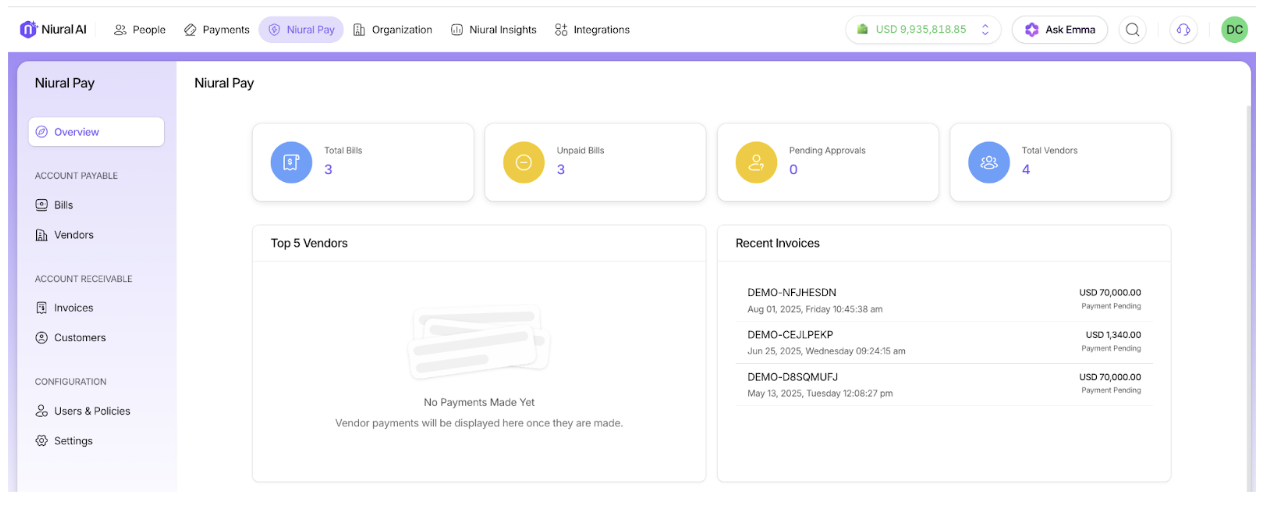
On the Homepage, choose Niural Pay and Click On Vendor
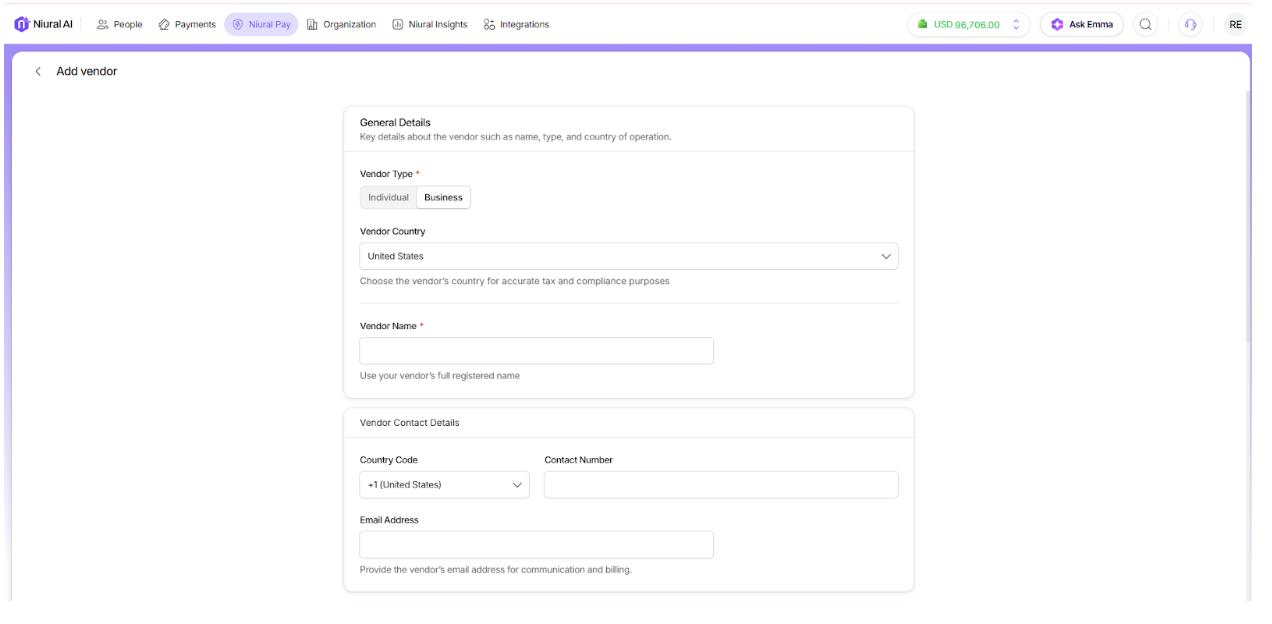
Click Add Vendor, select from individual or entity vendor and provide the required vendor information
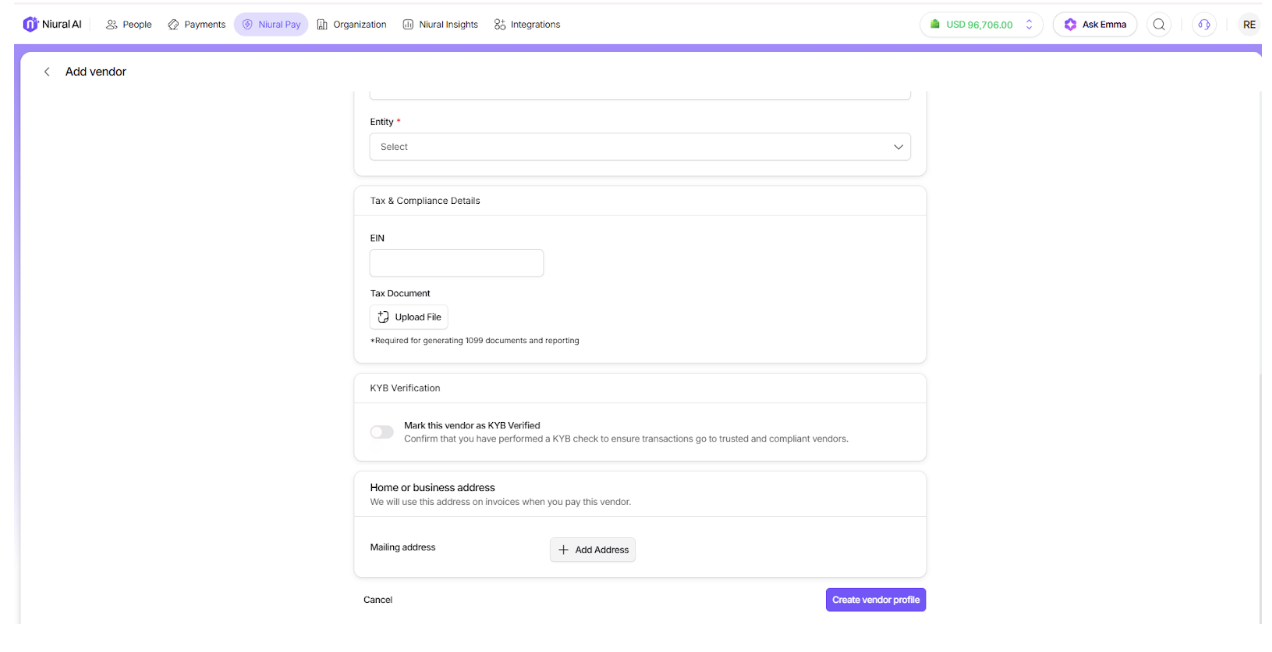
Provide tax and address information and create a vendor profile
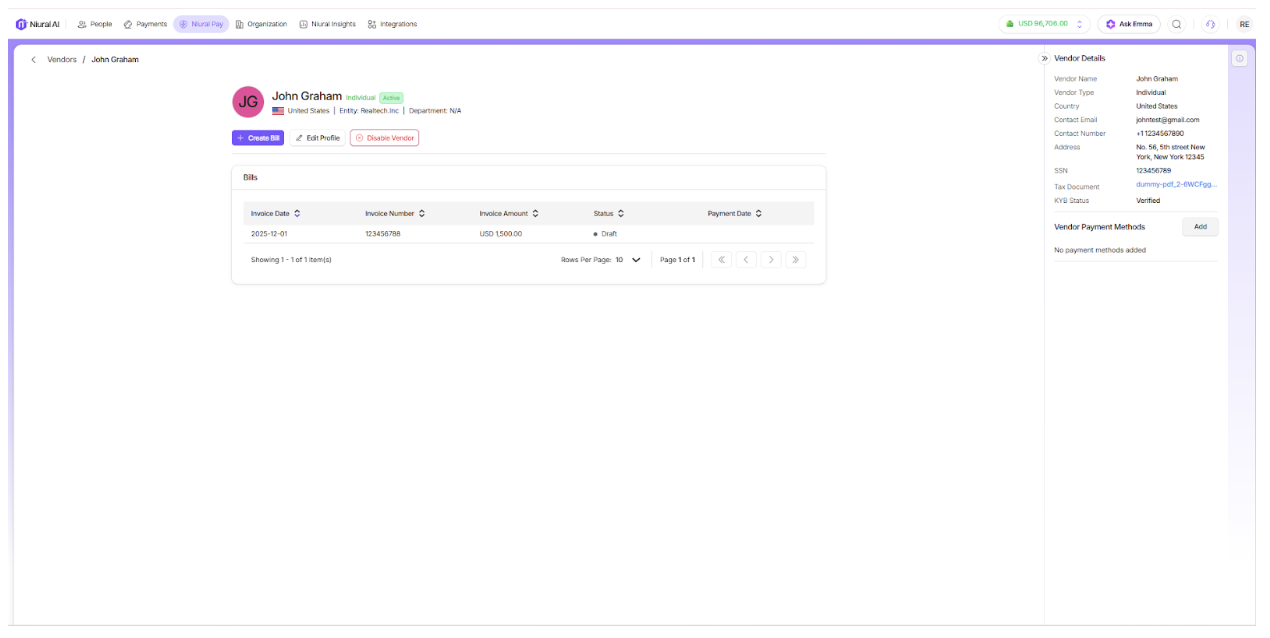
The vendor profile is active and you can now edit or disable the vendor