Running a payroll on Niural
Last updated: March 15, 2026
To start running payroll, invite employees to join Niural and set a pay schedule.
Run regular payroll
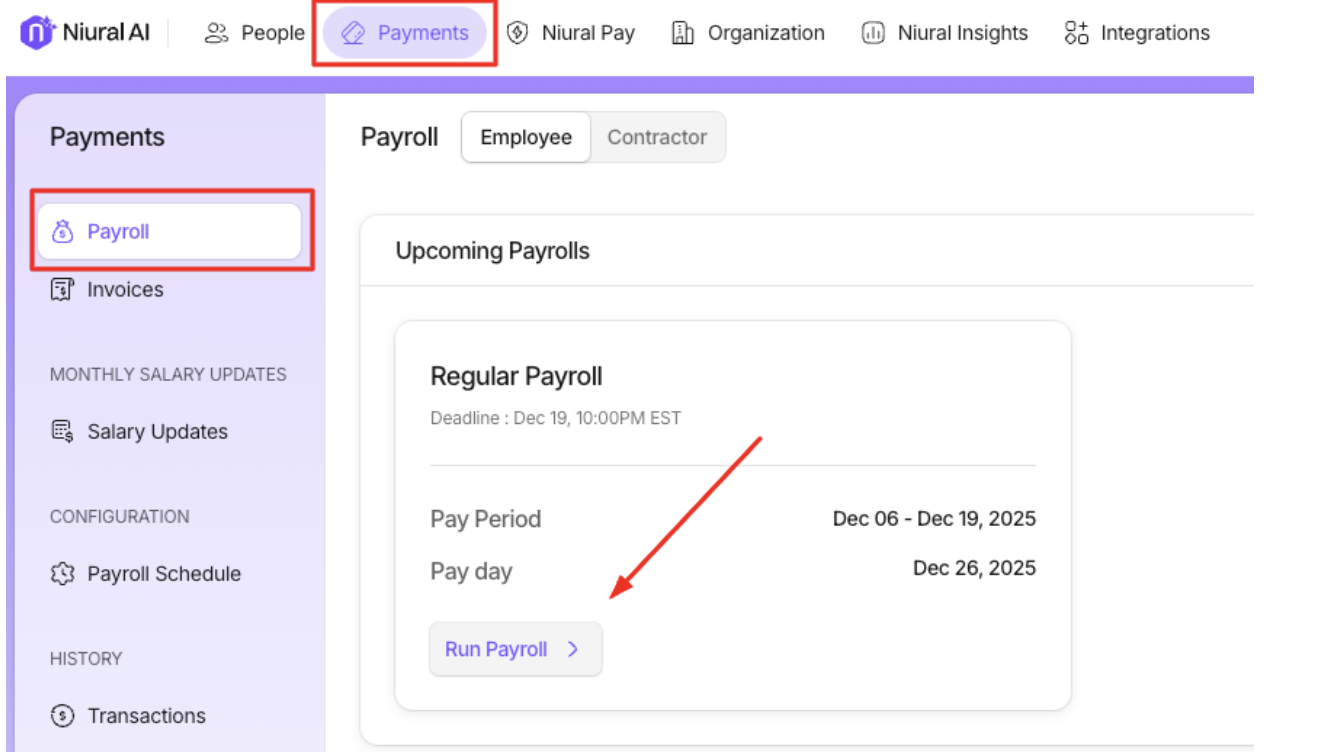
Click on Payments > Payroll > Run Payroll
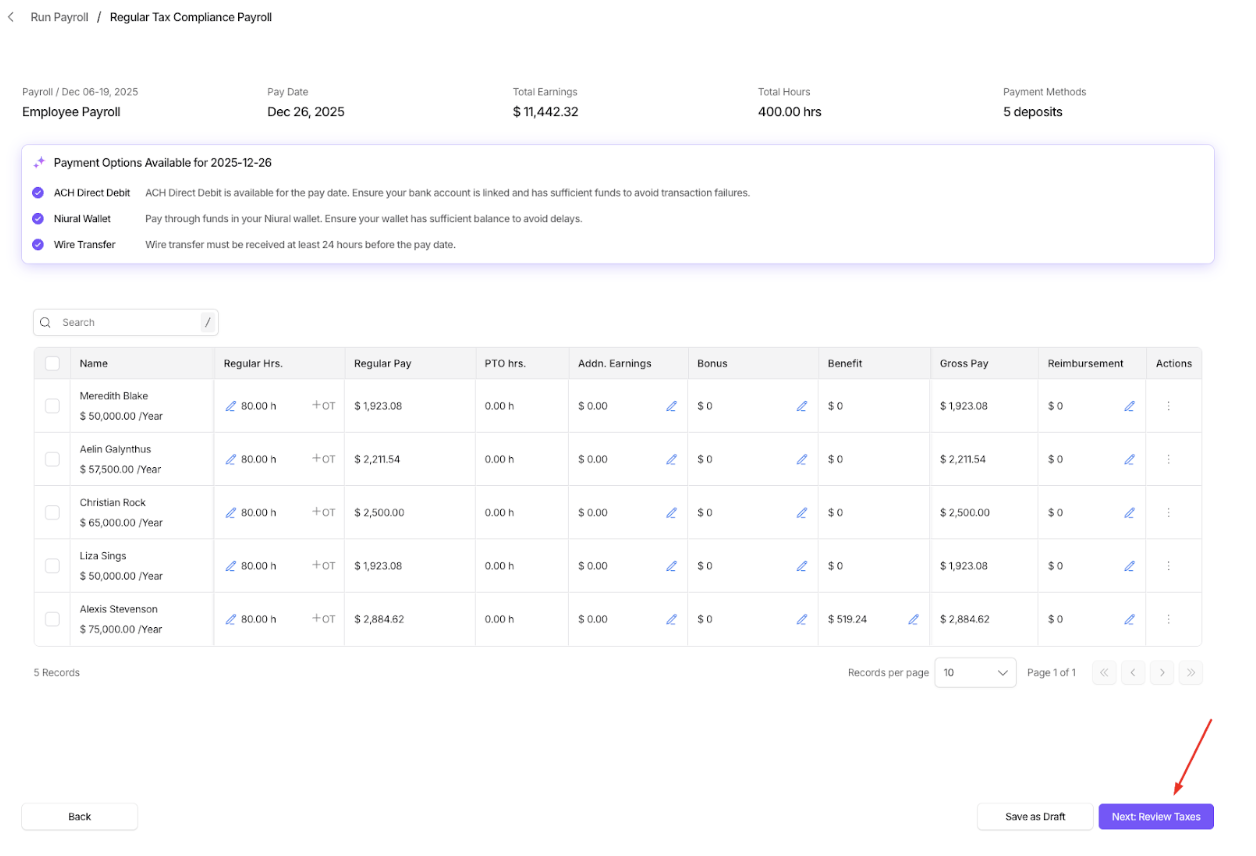
Hourly employees with approved timesheets, salaried employees, as well as any approved Vacation/PTO and expense reimbursements will automatically be included in the payroll for the current pay period.
After reviewing this screen, click Next: Review Taxes to proceed.
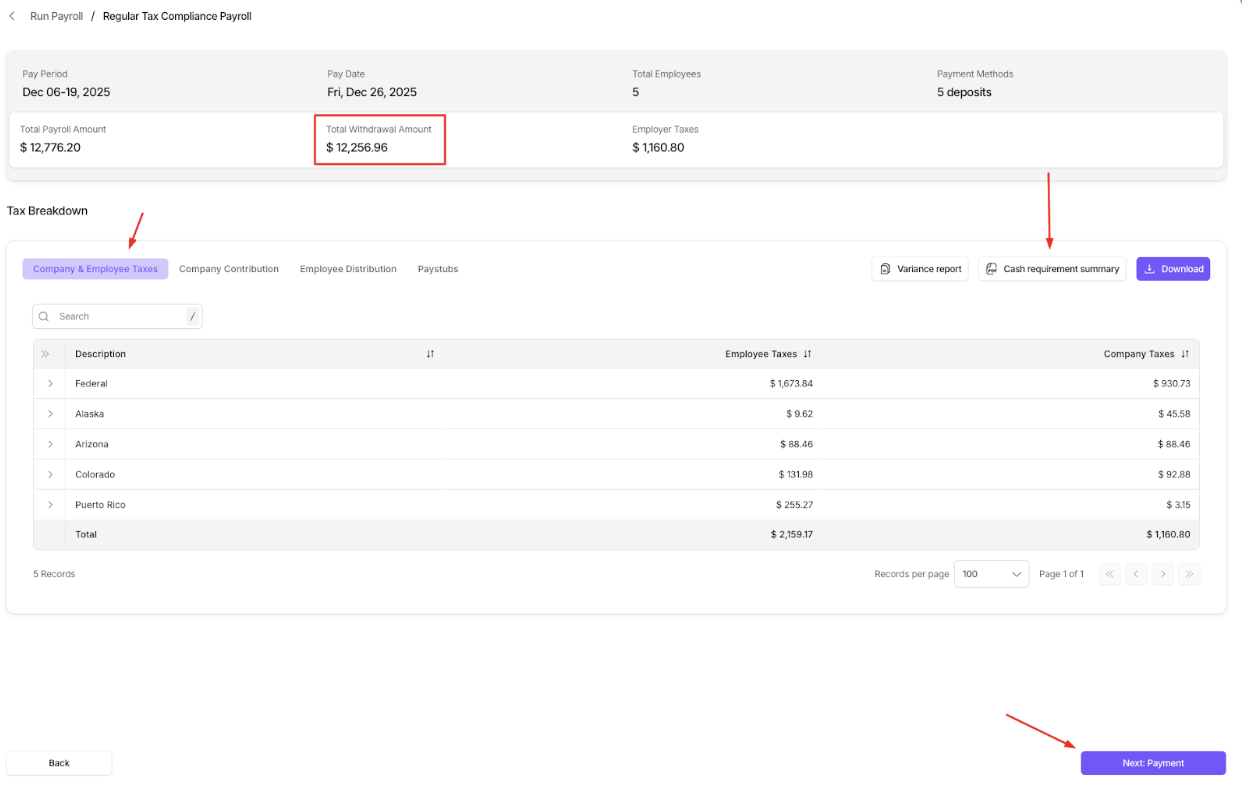
This screen will display your total withdrawal amount, which Niural will debit. You can review the breakdown under the "Tax Breakdown" section, including Company & Employee Taxes, Company Contributions, Employee Distributions, and Paystubs. Additionally, you can review the Cash Requirements report before proceeding.
Once you've reviewed everything, click Next: Payment to continue.
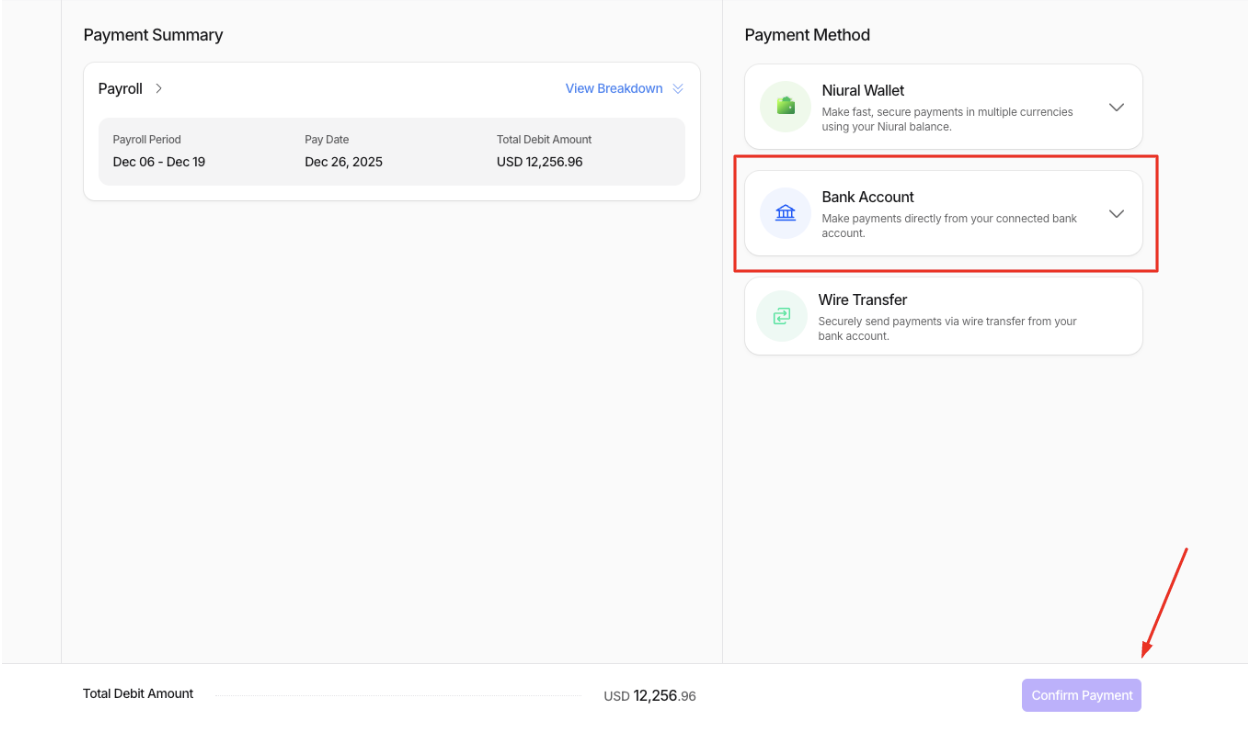
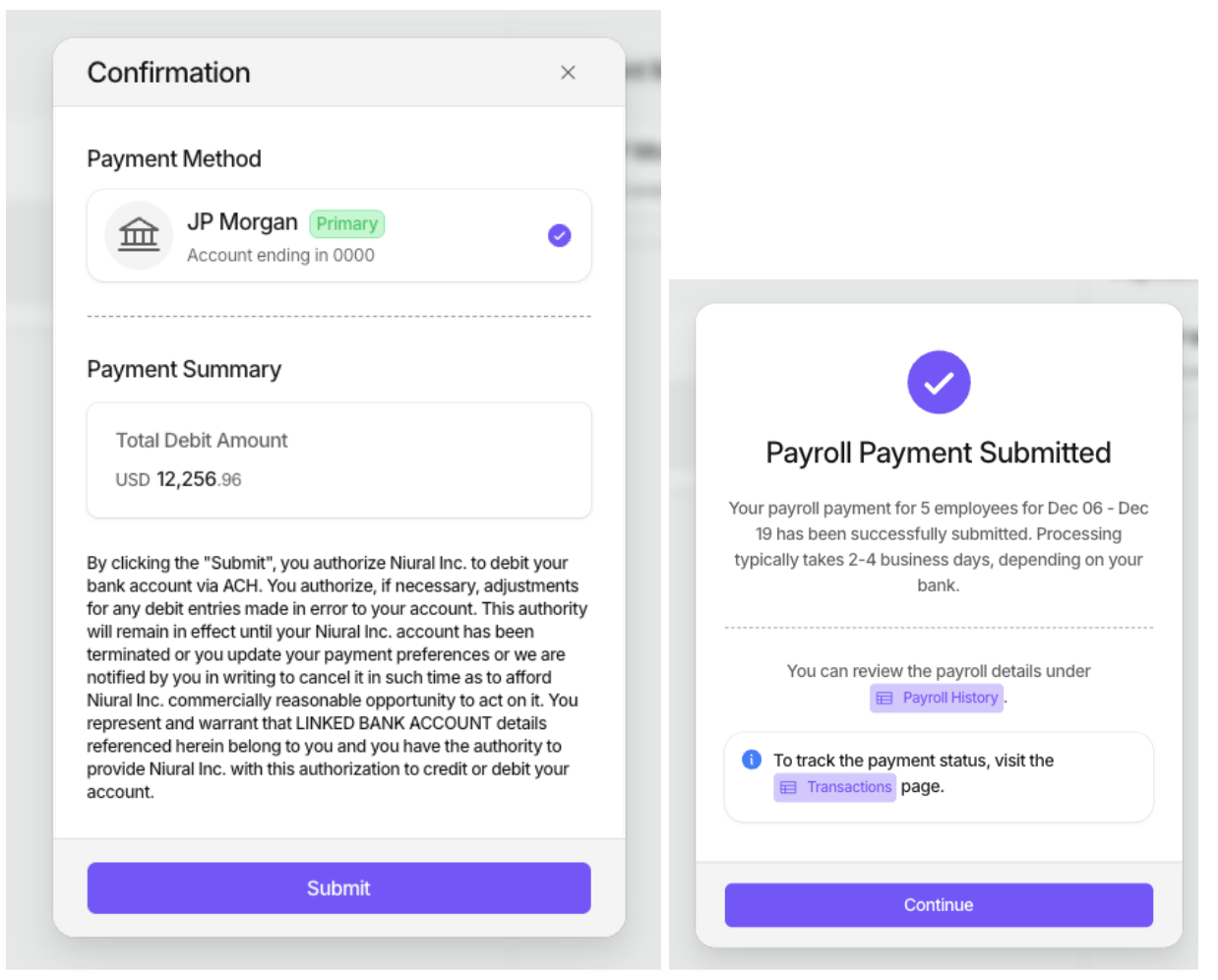
Next, you can choose your preferred payment method. If you're funding payroll via a bank account, select "Bank Account," then choose the bank you'd like to use for payroll. After selecting your bank, simply click "Confirm Payment", then “Submit” to approve the payroll.