How to Add an Admin to your Niural Account
Last updated: May 18, 2026
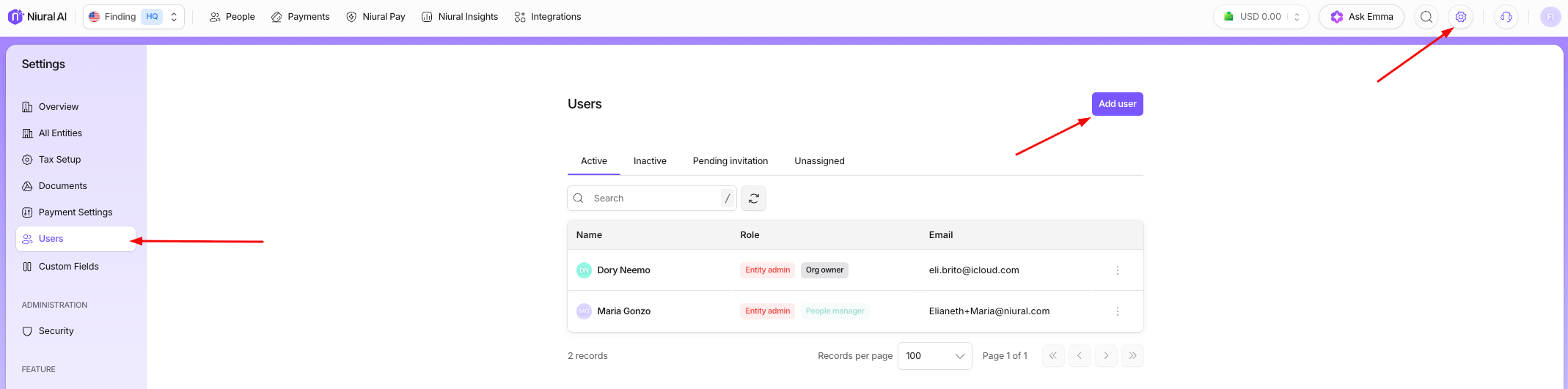
Step 1:To add an additional user please navigate to Settings > Users > Add User.
Step 2: You can select the appropriate user role.
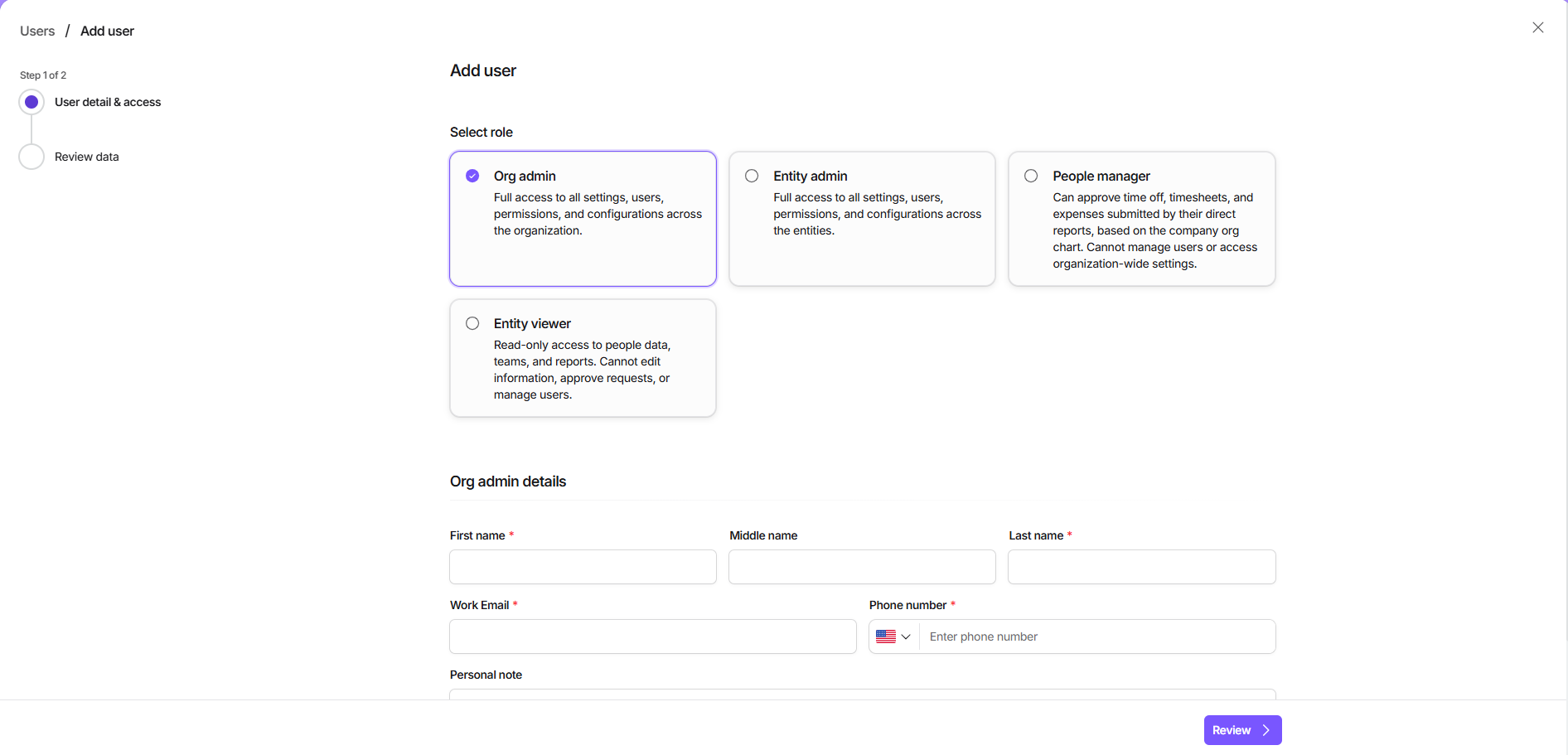
Once you fill in the details and submit, the users will receive an invitation to join the portal as admins.